Agent vs Chatbot: What the Difference Really Is
2026-11-08

A chatbot talks. An AI agent talks and then does the work. A chatbot takes your text and returns text. An agent can use tools, touch files and apps, carry memory from one session to the next, and run several steps toward a goal before it reports back. That is the practical split, and the rest of this article shows where the line sits, where it blurs, and how to decide which one you need.
We run a managed hosting service for an open-source personal AI agent, so we see this question from people who started with a chat window and hit its ceiling. We'll define the terms, compare the two across the dimensions that matter, walk through real tasks, and cover the safety side honestly.
TL;DR
- A chatbot is built to converse: it interprets your message and replies. An AI agent is built to complete goals: it plans, uses tools and takes actions.
- The difference is a spectrum, not a switch. A chatbot with a few actions is still a chatbot if chatting is its main job.
- Agents need memory, tool access and some bounded autonomy. Those same traits raise the stakes for privacy and oversight.
- Use a chatbot for questions and drafts. Use an agent for repeatable, multi-step work that touches your files, apps or messages.
- You can run an always-on agent without sysadmin skills through managed hosting, with a 7-day free trial on the entry plan.
Table of Contents
- What is a chatbot?
- What is an AI agent?
- Agent vs chatbot: side-by-side comparison
- The five differences that matter in practice
- Are chatbots agents?
- What an agent can do that a chatbot can't
- When a chatbot is enough, and when you need an agent
- Using an agent safely: reliability, privacy and oversight
- Our perspective
- Try an always-on agent without the setup
- FAQ
- Sources
What is a chatbot?
A chatbot is a software program that interacts with people conversationally. TechTarget describes chatbots as primarily helpful for answering questions or sharing information, centered on interpreting and responding to natural language.
There are two broad generations:
- Scripted chatbots. These follow decision trees and keyword rules. They are predictable and cheap, and they fail the moment a question falls off the script.
- LLM-based chatbots. These use a large language model to generate fluent answers to almost anything. They feel far smarter, but the core loop is the same: text in, text out.
The Aalto University course on software engineering with LLMs frames the basic chatbot this way: it receives text and produces text, and what it can do is limited to the prompt and the model's built-in knowledge. It cannot look something up on its own, open a file or trigger an operation in another system.
What is an AI agent?
An AI agent is software that pursues a goal. Gartner defines AI agents as autonomous or semiautonomous software entities that use AI techniques to perceive, make decisions, take actions and achieve goals in their digital or physical environments.
The word that matters there is *environment*. Carnegie Mellon University lecture material says an agent exists within an environment and can take actions that change it, has a goal, and keeps memories of what has previously happened. General-purpose chatbots, by contrast, do not exist in an environment they can alter and do not have specific goals.
In practice, that translates into four ingredients:
- A goal. "Summarize my unread messages every morning," not just "answer this question."
- Tools. Browsing, file access, calendar, messaging, code execution.
- Memory. Context that persists across days, so you do not re-explain yourself.
- A loop. Plan, act, check the result, adjust, then answer.
The Aalto course adds a useful point: a tool-using agent can inspect external information, trigger deterministic operations and carry out several steps before returning a final answer.
Agent vs chatbot: side-by-side comparison
| Dimension | Chatbot | AI agent |
|---|---|---|
| Main purpose | Conversation, answers, drafts | Completing tasks and goals |
| Trigger | Waits for your message | Can respond to your message or run on a schedule or event |
| Steps per request | One reply | Several steps, with checks along the way |
| Tools | None or very few | Files, browser, apps, messaging, APIs |
| Memory | Usually limited to the current conversation | Persistent across sessions |
| Effect on the world | None beyond the text it writes | Can change files, send messages, update systems |
| Main risks | Wrong or biased answers, leaking sensitive text | Same risks, plus actions that travel further |
| Setup effort | Open a tab | Needs an environment to run in |
The last row is the one people underestimate. A chatbot lives in someone else's website. An agent needs somewhere to live: a machine that stays on, holds your credentials and memory, and connects to your apps. That is why most of the friction around agents is infrastructure, not intelligence.
The five differences that matter in practice
1. Autonomy
A chatbot is reactive. An agent can be proactive. Gartner notes that agents operate with different levels of human involvement, from human-in-the-loop (you approve each step) to human-out-of-the-loop (it just runs).
The Aalto course offers the most practical framing we have seen: *bounded autonomy*. You let the model choose among a controlled set of actions while the surrounding system stays in charge of what those actions can do. That is how we think about it too. An agent that can pick from ten approved tools is useful. An agent with unlimited access is a liability.

2. Memory
Think of memory as layers. A chatbot has a short-term layer, the current conversation window. An agent adds longer-term layers: facts about you, your projects, your preferences, and what it did last Tuesday. CMU's definition lists memories of what has previously transpired as one of the defining traits of an agent.
For you, the difference is simple. With a chatbot you restate context every session. With an agent that has persistent memory, the context is already there.
3. Tool use
This is the sharpest line. A chatbot can tell you how to rename 300 files. An agent with file access can rename them. TechTarget notes that agents tend to be designed for specific use cases such as managing accounting records or automating software installation, which is another way of saying they are wired into the systems where the work happens.
4. Multi-step execution
Ask a chatbot to "prepare for tomorrow's meeting" and you get a generic checklist. Give an agent the right access and it can pull the calendar entry, find related documents, summarize the last thread with that person and send you the brief. Each step depends on the result of the previous one. That chained behavior is what the word "agentic" points at.
5. Accountability and oversight
When software only writes text, a human decides what happens next. When it acts, someone has to decide what it is allowed to do and review what it did. We cover this in the safety section below, because it is the part that separates a good agent setup from a risky one.
Are chatbots agents?
Not categorically. TechTarget's guidance is that a chatbot performing a narrow set of actions may still be considered a chatbot when chatting is its primary purpose. It also describes an AI assistant as sitting in between: it may perform basic actions in response to specific requests, while agents handle more complex actions and show initiative.
So the honest picture is a ladder:
- Scripted bot: fixed rules, fixed answers.
- LLM chatbot: flexible language, no real tools.
- AI assistant: a few actions on request, such as setting a reminder.
- AI agent: goals, tools, memory and multi-step loops.
You will see skeptics argue that "agent" is just marketing for a more capable bot. There is some truth in the fuzziness of the word. But the capabilities on the right side of that table, persistent memory, tool access and acting on your behalf, are real and change how you use the software, which is what matters for your decision.
What an agent can do that a chatbot can't
Here are everyday jobs where the gap shows up. These are the kinds of tasks people hand to a personal agent running in a messaging app:
- Morning briefing. Check your inbox and calendar, pull the three things that need attention, and send them to Telegram before you wake up.
- File housekeeping. Find documents in an allowed folder, rename or sort them, and save outputs where you want them, instead of you downloading and re-uploading.
- Research with a trail. Visit several web pages through a browser, compare what they say and write up findings with the links.
- Recurring reports. Update a spreadsheet each week from the same sources.
- Team workflows. Take a request in Slack, run the steps, and post the result back in the thread.
If you want longer lists organized by role, our guides on always-on AI assistant use cases and personal AI agent daily use go deeper. For the engineering view of how tools, memory and planning fit together, see our explainer on AI agent architecture.
Engineering and operations teams already see this pattern at the infrastructure level, where agents with environment access and end-to-end automation handle work that a text-only assistant could only describe.
When a chatbot is enough, and when you need an agent
A simple test: does the job end when you read the answer, or when something has changed in the world?
A chatbot is the right fit when
- You want an explanation, a summary or a first draft you will edit yourself.
- The task is a single question with a single answer.
- You are brainstorming, studying or learning a concept.
- No credentials, files or accounts need to be involved.
An agent is the right fit when
- The same multi-step job repeats daily or weekly.
- The work lives across several tools: email, chat, files, a browser.
- You want it to run while you are away, so it must be always on.
- You are tired of re-explaining context, so memory matters.
A quick scoring approach: count how many of these apply to a task. Repeats often, touches more than one app, needs to remember you, runs without you. Two or more yes answers and an agent is worth setting up. Zero or one, and a chat window is fine.
This also applies by audience:
- Students: a chatbot for explanations, an agent for organizing notes, deadlines and study reminders. Our overview of AI learning tools maps the options.
- Busy professionals: an agent that triages messages and prepares briefs saves the small, constant interruptions. See how teams reduce manual work with AI agents.
- Developers: an agent as a programmable worker. Our guide to building AI agent workflow automation covers patterns, and the role of APIs in AI integration explains how agents connect to other services.
- Business teams: shared agents that live in Slack or Discord. We outline the upside in no-code AI assistant benefits for business.
Using an agent safely: reliability, privacy and oversight
Because an agent acts, its mistakes carry further than a chatbot's. TechTarget notes that chatbots' main risks are hallucinations and bias, plus the chance of sharing sensitive information with an unauthorized user. Agents can cause greater problems because of their autonomy, especially when they receive malicious prompts or instructions: they can expose sensitive data, destroy information or disrupt services.
That is no reason to avoid agents. It is a reason to set them up deliberately. Here is the checklist we use:
- Start with narrow permissions. Give access to the folders and accounts the job needs, nothing more. This is bounded autonomy in practice.
- Keep a human in the loop for irreversible actions. Sending money, deleting data and emailing customers should need your approval until you trust the workflow.
- Treat web content as untrusted. A page can contain instructions aimed at your agent. Our guides on prompt injection defense and reducing prompt injection risk in web automation explain layered protections.
- Keep your data on infrastructure you control or trust. A dedicated, encrypted server with its own backups is a different risk profile from a shared consumer chat history.
- Match oversight to context. A 2025 policy analysis from D&TA recommends focusing on the context in which an agent is used, such as data sensitivity, purpose and potential harm. An agent analyzing supply chain data does not need the same scrutiny as one recommending changes to a patient's treatment plan, and sector rules like GLBA and HIPAA already add safeguards in high-risk areas.
- Verify outputs that matter. Agents inherit the language model's habit of sounding sure when they are wrong. Review anything with legal, medical or financial consequences yourself, and involve the relevant professional for those decisions.
Our perspective
> We think the chatbot-versus-agent debate hides the real obstacle. People do not stay with chatbots because agents are worse. They stay because running an agent has meant renting a server, hardening it, wiring up messaging, managing updates and backups, and keeping it online. That is a sysadmin project, not an afternoon.
>
> When we started testing OpenClaw, an open-source personal AI assistant, we saw the capability was there: memory that persists, tools that act, a browser it can actually drive. The gap was access. So we built ClawBase around removing that gap: one-click deployment onto a dedicated, encrypted server that is yours alone, always on, with daily encrypted backups and automated updates.
>
> We also believe the right mental model is a stack. At the bottom, the model: we support over 50, with multi-model routing so the task can go to a suitable one. Above it, memory, so the agent knows you. Above that, skills and a private marketplace for one-click capabilities. On top, the channels you already live in: Telegram, Discord, Slack and WhatsApp. A chatbot gives you the model layer. An agent gives you the whole stack.
>
> Our advice: start with one repeating job you dislike, give the agent narrow permissions, watch how it behaves for a week, then widen its scope. That is how we work with it ourselves.
>
> *Iosif Peterfi*
Try an always-on agent without the setup
If your answer to the earlier checklist was yes, you can have an OpenClaw agent running on a private server without touching a terminal. ClawBase deploys it in one click, keeps it online with 99.9% uptime, and connects it to Telegram, Discord, Slack or WhatsApp. The entry plan comes with a 7-day free trial, and you can pay by credit card or cryptocurrency.
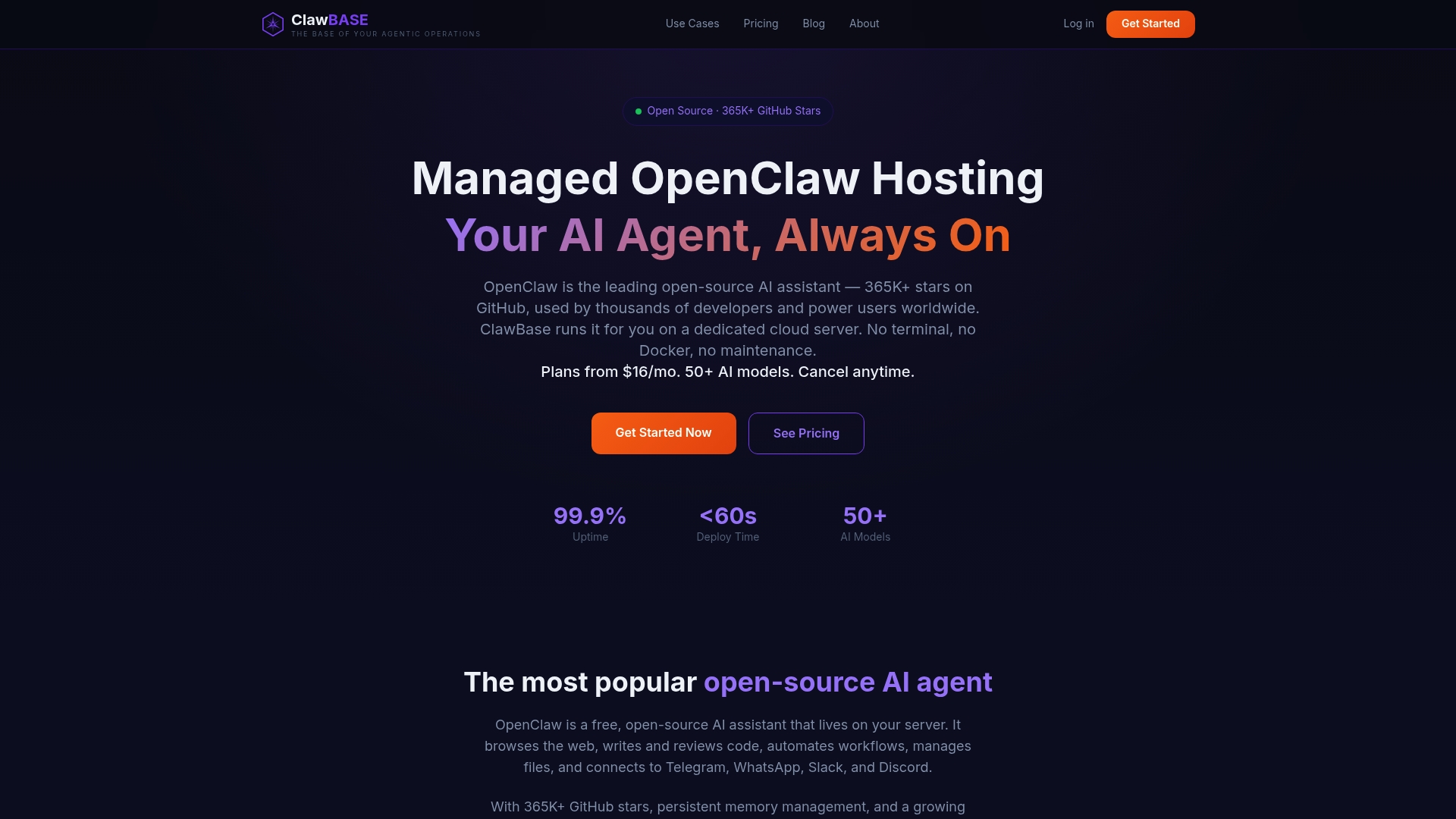
Plans on our pricing page are:
| Plan | Monthly | Annual |
|---|---|---|
| LITE | $16 | $199 |
| PRO | $33 | $399 |
| MAX | $66 | $799 |
You can see what is included in each tier on the ClawBase homepage.
FAQ
What is the main difference between an AI agent and a chatbot?
A chatbot interprets your message and replies, mostly with text. An AI agent works toward a goal: it uses tools, keeps memory and takes several steps to complete a task. In short, chatbots are for answering, agents are for doing.
Is ChatGPT a chatbot or an AI agent?
A plain chat conversation with a language model is a chatbot interaction. The same model becomes part of an agent when it is connected to tools, memory and a loop that lets it act toward a goal. The label depends on how the system is set up, not on the model's name.
Can a chatbot become an AI agent?
It can, by gaining tools, persistent memory and the ability to run multi-step tasks. TechTarget points out that a chatbot with a narrow set of actions is still usually a chatbot if chatting is its main purpose. The shift happens when acting becomes the main purpose.
Are AI agents safe to use with personal or work data?
They can be, with the right setup. Limit permissions to what each job needs, require approval for irreversible actions and treat web content as untrusted. For regulated data such as health or financial records, check the rules that apply to your sector and consult your compliance or legal professional.
Do I need technical skills to run an AI agent?
Not with managed hosting. Self-hosting an open-source agent takes server and security knowledge, but a managed service handles deployment, updates and backups, so you can focus on what you want the agent to do.
Sources
- Chatbots and AI Agents, Carnegie Mellon University
- Capitalize on the AI Agent Opportunity, Gartner
- AI agent vs. chatbot: Breaking down the differences, TechTarget
- From Chatbots to Agents, Aalto OpenCS
- AI Agents, Privacy, and the Importance of Context in Data Regulation, D&TA