What Is Self-Hosted AI Software? A Plain-English Guide
2026-07-24

What is self-hosted AI software, and why does it matter?
Self-hosted AI software runs AI models and their serving layers entirely on private infrastructure, whether that's a local server, a private data center, or a self-managed cloud cluster. Every prompt you send, every response generated, and every piece of context the model uses stays inside your own network. Nothing touches a third-party provider's servers.
That distinction carries real weight. When you call a cloud API, your data travels across the public internet to someone else's processing queue. With a private deployment, the inference happens locally, which means zero external data exposure and no dependency on a vendor's pricing decisions, rate limits, or terms of service.
A common misconception is that self-hosted AI is somehow less capable than cloud offerings. Modern frameworks have closed that gap considerably. Tools like LangGraph, Dify, and n8n now enable multi-step agentic workflows on private infrastructure that rival what cloud platforms deliver.
Core features of self-hosted AI solutions:
- Prompts, context, and outputs remain fully within your secure network
- No per-token API fees; costs become fixed and predictable
- Full control over model selection, system prompts, and fine-tuning
- Freedom from vendor lock-in and external rate limits
- Compliance-friendly for regulated industries handling sensitive data
How modern frameworks make private AI agents genuinely powerful
The self-hosted AI ecosystem has matured fast. Docker and Kubernetes now handle the consistency and portability of deploying models on private servers, reducing what used to be a multi-day infrastructure project to something closer to an afternoon task.
The frameworks sitting on top of that container layer are where the real capability lives. Think of them as the "brain wiring" that connects your model to the outside world.
- LangGraph: Orchestration layer for stateful agents with multi-step branching logic and persistent memory, built on top of the LangChain ecosystem
- Dify: Bundles a RAG pipeline, prompt orchestration, agent runtime, and monitoring into one Docker Compose deployment; fully model-agnostic, so you can swap between Llama, Mistral, or any local model without rewriting app logic
- n8n: Workflow automation platform with 400+ native connectors, letting you mix deterministic tasks like sending emails with AI agent nodes in a single workflow
One operational detail that catches teams off guard: container file systems are ephemeral. When a Docker container restarts, anything the agent wrote locally disappears. The standard fix is pairing your agent with a vector database for semantic retrieval or S3-compatible object storage for raw file persistence. Skipping this step is the most common reason a working dev setup fails in production.
Pro Tip: *If you want a model-agnostic setup from day one, deploy Dify via Docker Compose and point it at a local Ollama instance. You can swap the underlying model without touching a single line of agent logic.*
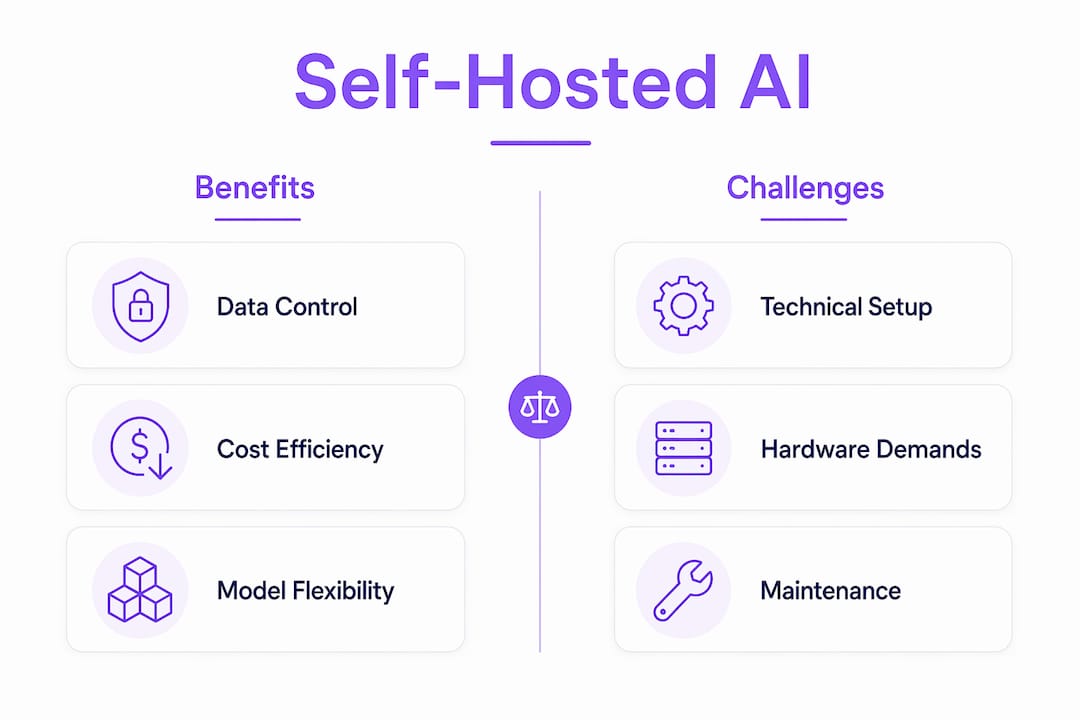
What challenges come with self-hosting AI, and how do you solve them?
Self-hosting gives you control, but it also hands you the operational responsibilities that cloud providers normally absorb. Understanding the real constraints upfront saves a lot of frustration.

VRAM is the single biggest bottleneck. Models that fit entirely into GPU memory run at 30–50 tokens per second. When a model overflows to system RAM, that speed drops to 1–5 tokens per second. The practical rule: you need roughly 0.5 GB of VRAM per billion parameters when using 4-bit quantization.
Beyond hardware, self-hosted deployments require ongoing maintenance: uptime monitoring, security patching, firewall configuration, and keeping inference endpoints authenticated so they don't become an attack surface. If the inference server crashes at 3:00 AM, there's no vendor status page. It's on you.
Common challenges and their practical mitigations:
- VRAM overflow: Use quantized model versions (4-bit or 8-bit) to fit larger models into available memory
- Uptime responsibility: Set up automated health checks and alerting via tools like Prometheus or Grafana
- Security exposure: Firewall inference endpoints and require authentication on all API routes
- Scaling complexity: Adopt a hybrid AI strategy where routine tasks run locally and complex reasoning offloads to cloud APIs
How Clawbase simplifies private AI with managed OpenClaw hosting
Most of the challenges above disappear when someone else handles the infrastructure layer. That's the core idea behind Clawbase.
Clawbase provides managed OpenClaw hosting with one-click deployment on dedicated servers, requiring no sysadmin expertise. You get a private, always-on AI assistant without configuring a single firewall rule or monitoring a single container.
> 99.9% uptime, access to over 50 AI models, persistent memory, and workflow automation integrations — all managed for you, out of the box.
What makes Clawbase worth examining closely for non-technical users and developers alike:
- One-click deployment on dedicated servers; no Linux command line required
- Over 50 AI models available through the managed OpenClaw environment
- Persistent memory management so your assistant retains context across sessions, much like layers of recall in a human brain
- Workflow automation covering file management and integration with Telegram and Discord
- 99.9% uptime commitment backed by dedicated server infrastructure
For developers who want AI without heavy technical overhead, Clawbase removes the gap between "I want a private AI assistant" and actually having one running.
Why self-hosted AI is worth it: key benefits summarized
The case for running your own AI infrastructure comes down to control, cost, and independence. Running AI locally delivers predictable fixed costs, full behavioral control, and data that never leaves your network. At scale, those fixed costs consistently undercut per-token cloud pricing.
Self-hosted deployments also reduce strategic risk by removing dependency on a single external provider. When a vendor changes pricing, deprecates a model, or imposes new content filters, a self-hosted setup is unaffected.
- Complete data control: Sensitive data, customer PII, and proprietary documents stay inside your perimeter
- Predictable costs: Fixed compute replaces usage-based billing that scales unpredictably
- Model flexibility: Swap, fine-tune, or run multiple models without rebuilding your application
- Vendor independence: No exposure to third-party rate limits, policy changes, or outages
- Hybrid compatibility: Mix local inference for high-volume tasks with cloud APIs for complex reasoning
How to get started with self-hosted AI without heavy technical skills
Getting a private AI assistant running is more approachable than it looks. Here's a practical path that works for both developers and non-technical users.
- Choose your deployment method. If you want zero maintenance, a managed platform like Clawbase handles the server entirely. If you prefer hands-on control, a VPS with 16 GB of RAM handles quantized smaller models for low-concurrency workloads.
- Pick a runtime tool. Ollama is the easiest starting point. It downloads, quantizes, and serves a model in a single command, and pairs with Open WebUI for a browser-based chat interface.
- Add an agent framework. Deploy Dify via Docker Compose to get a full agent environment with a built-in dashboard. Connect it to your Ollama instance as the model backend.
- Set up persistent storage. Connect a vector database or object storage bucket before you go to production. Skipping this means your agent loses all context on every restart.
- Secure your endpoints. Add authentication to any exposed API route and restrict access by IP where possible. This step takes 20 minutes and prevents the most common attack vectors.
Explore the OpenClaw use cases page to see what a fully configured private AI agent can actually do in practice.
Real-world use cases for self-hosted AI software
Private AI deployments aren't just for large enterprises with compliance teams. Here are concrete examples of what they handle well.
For developers: A self-hosted LangGraph agent connected to a private codebase can review pull requests, summarize diffs, and answer questions about internal documentation without sending proprietary code to any external API.
For small teams: An n8n workflow can monitor a shared inbox, classify incoming messages using a local model, route them to the right team member, and log everything to a spreadsheet. No cloud AI subscription required.
For non-technical users: Through Clawbase, a non-developer can deploy OpenClaw and immediately use it to manage files, draft messages, and automate repetitive tasks via Telegram or Discord, all on a private server with persistent memory across every session.
For regulated industries: Healthcare and legal teams use private deployments to process documents containing patient or client data, satisfying data residency requirements that cloud APIs cannot meet.
How do popular self-hosted AI options compare on ease of setup?
Setup complexity varies considerably across the main options. Here's an honest comparison by approach:
| Option | Setup complexity | Best for | Model flexibility |
|---|---|---|---|
| Clawbase (managed) | Very low — one click | Non-technical users, developers wanting zero maintenance | 50+ models included |
| Dify + Docker Compose | Low to moderate | Developers wanting a visual agent builder | Model-agnostic |
| n8n + Ollama | Moderate | Operations teams needing business system integrations | Configurable |
| LangGraph (code-first) | High | Developers building custom stateful agents | Full control |
The managed route through Clawbase sits at one end of this spectrum. The dedicated server advantages are fully abstracted away, so you get private AI without the operational overhead.
What does self-hosted AI actually cost for small to medium teams?
Cost structure is where self-hosting makes its clearest argument. Cloud API pricing scales linearly with usage. A team of developers using a frontier model for daily tasks can incur significant monthly API fees. A self-hosted 8B model on a VPS handles unlimited requests at a fixed cost.
The break-even point occurs when daily token usage reaches a sufficiently high level; below that, cloud APIs may be simpler and cheaper, while above it, self-hosting can save money monthly with savings increasing as usage grows. For small teams with steady, predictable workloads, the math typically favors self-hosting within the first few months.
Hardware costs depend on whether you self-host the inference layer. Agent orchestration logic runs on standard CPUs. GPU resources only become necessary if you also run the model inference locally. Many teams self-host the agent logic while calling external APIs for inference, keeping hardware costs near zero while still retaining data control at the application layer.
***
Key Takeaways
Self-hosted AI software gives you complete data control, predictable costs, and model flexibility that cloud APIs cannot match, especially at scale.
| Point | Details |
|---|---|
| Data stays private | Prompts, context, and outputs never leave your own network or server. |
| Inference speed depends on VRAM | Models in GPU memory run at 30–50 tokens per second; if the model overflows to RAM, speed falls to 1–5 tokens per second. |
| Frameworks lower the barrier | LangGraph, Dify, and n8n enable agentic workflows on private infrastructure without deep engineering. |
| Managed hosting removes complexity | Clawbase deploys OpenClaw with one click, 99.9% uptime, and over 50 models included. |
| Cost breaks even at scale | Self-hosting undercuts cloud API fees for teams processing at high daily token usage levels. |