Why Use a Personal AI Assistant in 2026
2026-06-26

A personal AI assistant is an autonomous digital agent that manages tasks, automates workflows, and improves productivity by acting on your behalf with personalized context. Unlike a simple chatbot, a true AI assistant, often called an "agentic AI" in the industry, takes goal-driven action across external apps and systems. Tools like Claude, ChatGPT, and OpenClaw represent this shift from reactive question-answering to proactive task execution. The productivity case is already documented: household use of ChatGPT produces efficiency gains between 76% and 176% on productive online tasks. That number signals a fundamental change in how individuals can structure their daily work.
Why use a personal AI assistant for productivity and automation?
Personal AI assistants create measurable productivity gains through two core mechanisms: persistent memory and task autonomy. Most traditional software tools respond to commands but forget everything between sessions. A personal AI assistant with persistent memory learns your preferences, communication style, and recurring workflows, so you never repeat yourself.

The impact of personalization is concrete. A 157-day single-user study on Zenodo found that time to first meaningful output dropped from roughly 30 minutes to roughly 5 minutes after personalization was established. That is not a marginal improvement. It represents a structural change in how fast you can move from intent to result.
Task autonomy is the second major driver. Knowledge workers use AI agents as goal-oriented systems that act on external apps, not just as search tools. This means your assistant can draft and send emails, update project management tools, pull research from the web, and summarize documents without you managing each step.
Common personal AI assistant uses include:
- Calendar and scheduling management: blocking focus time, rescheduling conflicts, and sending meeting summaries
- Email triage: flagging priority messages, drafting replies, and archiving low-value threads
- Research and synthesis: pulling information from multiple sources and returning a structured summary
- Note-taking and knowledge management: capturing meeting notes and linking them to relevant projects
- Workflow automation: triggering actions in tools like Notion, Slack, or Telegram based on conditions you set
Pro Tip: *Start by delegating one repetitive task completely. Full delegation of a single workflow teaches you more about your assistant's capabilities than partial use across ten tasks.*
Personal AI assistant vs. traditional tools: what is the real difference?
The gap between a personal AI assistant and traditional productivity software is not about features. It is about the direction of control. Traditional tools wait for you to act. A personal AI assistant acts toward a goal you define, then reports back.
| Category | Traditional tools | Personal AI assistant |
|---|---|---|
| Memory | Session-based, no persistence | Persistent across sessions, learns preferences |
| Task handling | Reactive, one command at a time | Goal-driven, multi-step autonomous execution |
| Cognitive load | High, user manages every step | Low, assistant handles subtasks independently |
| Personalization | Manual configuration required | Builds context automatically over time |
| Integration | Fixed integrations, manual triggers | Dynamic connections to external apps and APIs |
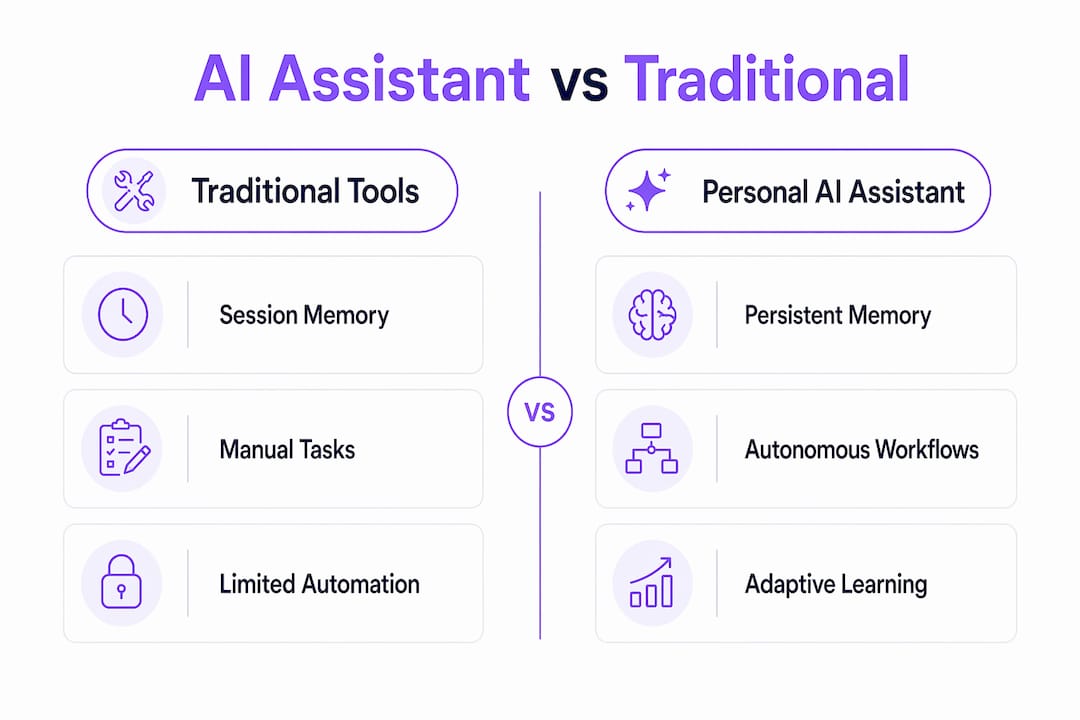
The cognitive load reduction is the most underrated benefit. When you delegate a subtask, you free working memory for higher-order decisions. AI agents act more like digital coworkers than simple tools, autonomously handling cognitively loaded tasks with minimal supervision. For knowledge workers, this means less time managing information and more time applying judgment.
The efficiency advantage of AI agents grows with task duration because autonomy reduces the marginal cost of each step. A task that takes a human 45 minutes of sequential effort costs the AI agent a fraction of that time once the workflow is defined. This is why professionals who handle long, multi-step research or reporting tasks see the largest gains.
Pro Tip: *Map your week before adopting an AI assistant. Identify tasks that are repetitive, time-consuming, and low-judgment. Those are your best candidates for daily AI agent workflows and the fastest path to measurable time savings.*
What privacy and security risks come with personal AI assistants?
Persistent memory and autonomous workflows create real privacy risks that you need to plan for before deploying any AI assistant. The same features that make these tools powerful also expand the attack surface for data leakage.
A Frontiers in Computer Science survey found that agentic AI with autonomy and memory increases data leakage and privacy risks, requiring privacy-by-design architectures with audit trails and human oversight. This is not a theoretical concern. An assistant that reads your emails, accesses your calendar, and stores your preferences holds a significant amount of sensitive data.
Regulatory frameworks add another layer. Agentic AI systems must provide traceability and explainability to meet GDPR and data protection requirements. For professionals in the EU or working with EU clients, this directly affects which tools you can legally use and how you must configure them.
Practical steps to protect your privacy when using a personal AI assistant:
- Audit memory contents regularly: Review what your assistant has stored and delete outdated or sensitive context
- Use a human-in-the-loop checkpoint: For any action that sends data externally, require explicit confirmation before execution
- Choose tools with local or private hosting: Cloud-based assistants with opaque data policies carry higher risk than self-hosted or privately hosted alternatives
- Limit scope by default: Grant your assistant access only to the apps and data it needs for defined tasks, not blanket access to your entire digital environment
- Verify data minimization settings: Confirm that your assistant does not retain raw conversation logs beyond what is needed for personalization
Privacy-by-design is not optional for agentic AI. It is the baseline requirement for responsible use, and it should be a primary criterion when you evaluate which assistant to adopt.
How to integrate a personal AI assistant into your daily routine
Effective integration follows a specific sequence. Skipping steps leads to underuse or, worse, an assistant that creates more work than it saves.
- Identify your highest-friction tasks. List the five tasks you repeat most often each week. Focus on tasks that are time-consuming but do not require your unique judgment. Email sorting, meeting prep, and research summaries are common starting points.
- Build persistent context deliberately. Tell your assistant your role, your preferences, your communication style, and your recurring workflows in an initial setup session. Persistent personalization reduces repeated explanations and correction demands, which accelerates output quality over time. Treat this setup as an investment.
- Shift from asking to delegating. The key adoption shift is moving from conversational queries to task delegation. Instead of asking "What are the key points in this document?", instruct your assistant to "Summarize this document, flag action items, and add them to my task list." Transitioning to autonomous task execution within tool boundaries is what unlocks real workflow change.
- Verify outputs on high-stakes tasks. 84% of developers using generative AI tools report positive changes in daily work practices but still verify outputs. Treat your assistant as a productivity accelerator, not an autonomous truth source. Build a review step into any workflow where errors carry real consequences.
- Expand scope incrementally. After two to three weeks with one delegated workflow, add another. Gradual expansion lets you catch integration issues early and build confidence in your assistant's reliability before trusting it with more sensitive tasks.
Pro Tip: *Connect your assistant to communication platforms like Telegram or Discord for always-on access. An assistant you can reach from any device, at any time, gets used far more consistently than one locked to a desktop app.*
Key takeaways
A personal AI assistant delivers its greatest value through persistent memory and autonomous task execution, not through raw intelligence alone.
| Point | Details |
|---|---|
| Persistent memory drives speed | Personalization cut time to first meaningful output from 30 minutes to 5 minutes in a 157-day study. |
| Autonomy reduces cognitive load | AI agents handle multi-step tasks independently, freeing you to focus on high-judgment decisions. |
| Privacy requires active management | Audit memory, limit data access, and use human-in-the-loop checkpoints for sensitive workflows. |
| Delegation beats conversation | Shifting from queries to task delegation is the single most impactful adoption change you can make. |
| Verification remains non-negotiable | Even experienced users verify AI outputs, especially for high-stakes or externally shared work. |
What I have learned after months of working with AI agents
*By Iosif Peterfi*
The most common mistake I see is treating a personal AI assistant like a better search engine. People ask it questions, get answers, and move on. They never delegate. That approach captures maybe 10% of the actual value.
The shift that changed everything for me was building a persistent context file at the start. I documented my role, my writing preferences, my recurring projects, and my communication style. From that point, the assistant stopped feeling like a tool and started feeling like a coworker who already knew the background. The Zenodo personalization research matches exactly what I experienced: the time savings are not from the AI being smarter. They come from not having to re-explain yourself every session.
My honest caution is about over-trust. I have caught factual errors in AI-generated research summaries that looked completely authoritative. The verification habit is not optional, especially for anything that goes to a client or gets published. The best mental model is a very fast, very capable junior analyst who occasionally gets things wrong. You would not skip review for a junior analyst's work. Do not skip it here either.
Privacy is the other area where I think most people are underprepared. An assistant with persistent memory and broad app access holds a lot of sensitive data. Choosing a privately hosted assistant over a cloud-based black box is not paranoia. It is basic operational hygiene.
> *— Iosif Peterfi*
Clawbase and OpenClaw: a practical path to private AI agent hosting
Getting the productivity benefits of a personal AI assistant without the setup headaches requires the right infrastructure. Clawbase provides managed hosting for OpenClaw, a powerful open-source AI agent, with one-click deployment on a dedicated server and no sysadmin work required.

Clawbase runs with 99.9% uptime, persistent memory management, and access to over 50 AI models. It integrates directly with Telegram and Discord, so your assistant is always reachable. For professionals who want a private, always-on AI agent without building the stack themselves, the OpenClaw use cases page shows exactly what the platform can handle across productivity, file management, and workflow automation. Managed OpenClaw hosting starts at $16/mo and requires no ongoing maintenance.
FAQ
What is a personal AI assistant?
A personal AI assistant is an autonomous software agent that manages tasks, automates workflows, and acts on external apps on your behalf using personalized context. Unlike a chatbot, it executes multi-step goals rather than just answering questions.
How do AI assistants improve productivity?
AI assistants reduce time spent on repetitive tasks by handling scheduling, research, email triage, and workflow automation autonomously. A 157-day study found personalized AI cut time to first meaningful output from 30 minutes to 5 minutes.
Is it safe to use a personal AI assistant with sensitive data?
Safety depends on the architecture. Assistants with persistent memory and broad app access carry elevated data leakage risks, so privacy-by-design controls, audit trails, and human-in-the-loop checkpoints are required for responsible use.
Do I still need to verify what my AI assistant produces?
Yes. Research from Microsoft shows that even users who find AI tools highly useful continue to verify outputs. Treat your assistant as a productivity accelerator and build review steps into any workflow with real consequences.
What tasks are best suited for a personal AI assistant?
Repetitive, time-consuming, and low-judgment tasks deliver the fastest returns: email sorting, meeting summaries, research synthesis, calendar management, and structured reporting. High-stakes decisions still require human judgment.