Test a WhatsApp AI Bot in Minutes, Then Migrate to Cloud API
2026-09-23
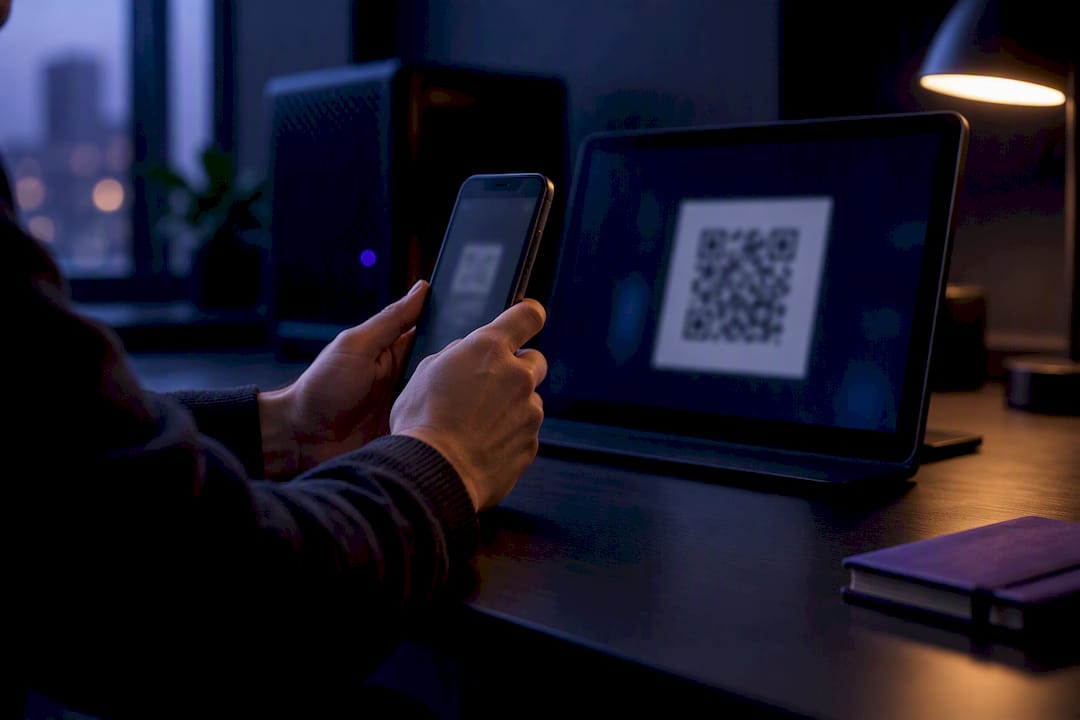
A WhatsApp AI bot is a chatbot that runs inside WhatsApp instead of a separate app or website. For a fast test, link a personal AI assistant with a QR pairing method like OpenClaw's wacli integration. For production use with real customers, build on the WhatsApp Business Platform (Cloud API). The tradeoff is simple: personal pairing gets you live quickly but risks account flags at scale, while the Business Platform requires an approval process but scales safely.
***
> TL;DR:
>
> - Using the WhatsApp Business Platform offers safer, more scalable deployment, but requires days or weeks of setup and verification; QR-based methods are faster but risk account suspension.
> - Custom WhatsApp AI bots can connect to personal or business data, enabling use cases like customer support, lead qualification, scheduling, and content creation, unlike Meta AI's limited consumer features.
> - Starting with quick, local testing using QR pairing and OpenClaw is recommended to validate ideas before investing in official verification and templates for large-scale deployment.
> - Proper configuration of message handling policies, watchdog settings, and privacy controls is essential to maintain a stable, compliant, and secure bot operation.
> - Managed hosting services like ClawBase can simplify deployment and maintenance, allowing focus on bot functionality without server management concerns, with plans starting at $16 per month.
***
Table of Contents
- What Can a WhatsApp AI Bot Actually Do?
- WhatsApp Web Bots vs the Business Platform: Which Fits?
- How Do You Set Up a WhatsApp AI Bot Step by Step?
- Which Features Should You Turn On First?
- Configuration Choices That Keep Your Bot Running
- Privacy and Security: What Happens to Your Data?
- Fixing the Most Common WhatsApp Bot Problems
- Test Small, Then Scale With the Right Platform
- Skip the Server Maintenance With Managed OpenClaw Hosting
- Where to Go Next for Official Documentation
- Sources
- FAQ
What Can a WhatsApp AI Bot Actually Do?
Most people picture Meta AI when they think "WhatsApp bot," but that's only one slice of what's possible. Meta AI is a consumer feature baked into the app for end users who want quick answers, image generation, or search inside their own chat threads. It's not something you configure, extend, or connect to your own data. A custom WhatsApp AI bot, by contrast, is something you build or deploy yourself, and it can plug into your own language models, your customer database, or a retrieval system that pulls from your product catalog.
That distinction matters because it determines which use cases are even possible:
- Personal assistant: a private AI you message like a contact, for reminders, drafting, or research, running on something like OpenClaw.
- Customer support: automated first-response triage that hands off to a human when needed.
- Lead qualification: asking structured questions before a sales rep ever joins the thread.
- Scheduling: syncing with a calendar API to book or reschedule appointments.
- Content generation: drafting captions, replies, or summaries on demand.
Meta AI covers none of these business cases. If you want your bot to know your inventory or your CRM, you need a custom integration, not the built-in assistant.
WhatsApp Web Bots vs the Business Platform: Which Fits?
The real decision comes down to two integration paths, and they solve different problems. WhatsApp Web based bots, built on libraries like Baileys and wrapped by tools such as OpenClaw's wacli, work by scanning a QR code to link a "linked device" session, the same mechanism WhatsApp uses for its own desktop app. OpenClaw's WhatsApp integration uses exactly this approach, and it requires no business verification to get started. You can be messaging your own bot within minutes, and message processing happens locally on whatever machine or server you're running.
The WhatsApp Business Platform, officially known as the Cloud API, takes a completely different route. You register a Meta developer app, create a WhatsApp Business Account (WABA), verify your business identity, and configure a webhook that Meta's servers call whenever a message arrives. This is the path Meta actually sanctions for automated business messaging, and it's built for reliability at volume rather than speed of setup.
Here's how the tradeoffs stack up:
- Time to launch: QR pairing takes minutes; Cloud API verification can take days to weeks.
- Cost structure: WhatsApp Web methods are free to run yourself; Cloud API bills per conversation once you exceed free-tier limits.
- Message templates: Cloud API requires pre-approved templates for any message you send outside an active conversation window.
- The 24-hour window: both methods are bound by WhatsApp's rule that free-form replies are only allowed within 24 hours of the user's last message.
- Risk profile: unofficial clients risk account suspension for violating WhatsApp's terms of service; the Business Platform carries no such risk once verified.
If you're validating an idea, start with wacli. If you're serving real customers at scale, the Business Platform is the only defensible choice.
How Do You Set Up a WhatsApp AI Bot Step by Step?
Getting a bot running is faster than most people expect, but production migration takes real planning. Here's the path from zero to a working assistant, then on to a compliant business deployment.
Before you start:
- Pick a phone number. A dedicated number, not your personal line, avoids confusion and protects your main account if something goes wrong.
- Gather your model API keys (OpenAI, Anthropic, or whichever provider you're routing through) before touching the WhatsApp side.
- Decide whether this is a real test or a permanent setup. That decision shapes whether you skip straight to the Business Platform.
Quick start with OpenClaw:
- Install OpenClaw on your machine or a hosted server.
- Run
openclaw channels loginto generate a QR code, per the OpenClaw WhatsApp documentation. - Scan the QR code from WhatsApp's linked devices menu on your phone.
- Set
channels.whatsapp.selfChatModeif you're testing solo, or configure pairing approval for a small group of testers. - Start the gateway process and send yourself a test message to confirm the round trip works.
Migrating to Cloud API for production:
- Register a Meta developer app and create a WABA inside Meta Business Manager.
- Complete business verification, a step that can take days to weeks.
- Configure a public HTTPS webhook endpoint and generate a permanent access token.
- Submit and get approval for your message templates before sending any proactive outreach.
Test everything with a staging number and low message volume before flipping the switch on real customer traffic. Watch your logs closely during the first week.
Pro Tip: *Run your OpenClaw test and your Cloud API application in parallel. Verification takes long enough that you'll want a working prototype to demo internally while you wait.*
Which Features Should You Turn On First?
Not every capability deserves equal priority, and the order you enable features in shapes both cost and reliability; practical prompt-instruction techniques can also help you humanize AI text for better customer interactions. Conversation memory is the first decision point: volatile memory (nothing persists past the session) works for simple FAQ bots, while persistent memory, stored in a database rather than in RAM, is what lets your bot remember a customer's order history across days or weeks.
Multimodal input is usually the second priority. Customers send photos of damaged products, voice notes when they're driving, and PDFs when they're forwarding an invoice. Whisper-style audio transcription and document extraction turn those into text your model can actually reason over, and the ClawBase tutorial walks through configuring image, voice, and PDF handling on a single assistant.
Retrieval-augmented generation (RAG) matters most once your bot needs to answer questions your base model simply doesn't know, like your specific return policy or current stock levels. Connecting a RAG layer or function-calls to your CRM turns a generic chatbot into one that gives accurate, business-specific answers instead of plausible-sounding guesses.
Cost planning ties all of this together. Larger context windows and multimodal calls cost more per message than plain text, so model routing (sending simple queries to a cheaper model and complex ones to a stronger one) keeps your bill predictable as volume grows.
- Persistent memory for anything beyond single-session Q&A.
- Multimodal handling once customers start sending images or voice notes.
- RAG connectors once accuracy on business-specific facts matters.
- Model routing once volume makes flat-rate model calls expensive.
Configuration Choices That Keep Your Bot Running
A bot that works in testing can still get flagged or disconnected in production if the underlying configuration is sloppy. dmPolicy is the setting that decides how your bot handles messages from numbers it doesn't recognize. For open experiments, a pairing policy that requires approval before an unknown sender's messages get processed is the safer default. For closed deployments, like an internal team tool, an allowlist that only accepts messages from allowFrom numbers you've pre-approved is tighter still.
Watchdog settings, which monitor both the raw transport connection and application-level message activity, prevent what the OpenClaw documentation calls reconnect storms, repeated disconnect-reconnect cycles that can look suspicious to WhatsApp's own systems. Tuning your keepalive and connect-timeout values a little more conservatively than the defaults reduces this risk considerably.
- Set
dmPolicyto pairing for open testing, allowlist for closed internal tools. - Tune watchdog and keepalive settings to avoid frequent reconnects.
- Respect the 24-hour messaging window; don't try to force free-form replies past it.
- Use a dedicated number, never a VoIP line, since WhatsApp's verification process often rejects VoIP numbers outright.
Pro Tip: *Treat your bot's message cadence like a human would send messages. Bursts of dozens of replies in seconds are the fastest way to trigger a rate limit or a temporary block.*
Privacy and Security: What Happens to Your Data?
The two integration paths handle data very differently, and that's worth understanding before you commit to either. WhatsApp's own end-to-end encryption protects the transport layer in both cases, but what happens after a message is decrypted depends entirely on where you're running things. A self-hosted OpenClaw instance keeps message content on your own server; nothing passes through a third party's cloud unless you explicitly route it there. The Business Platform, by contrast, sends message data through Meta's infrastructure and whatever cloud provider hosts your webhook, so document that data flow clearly if you're handling anything sensitive.
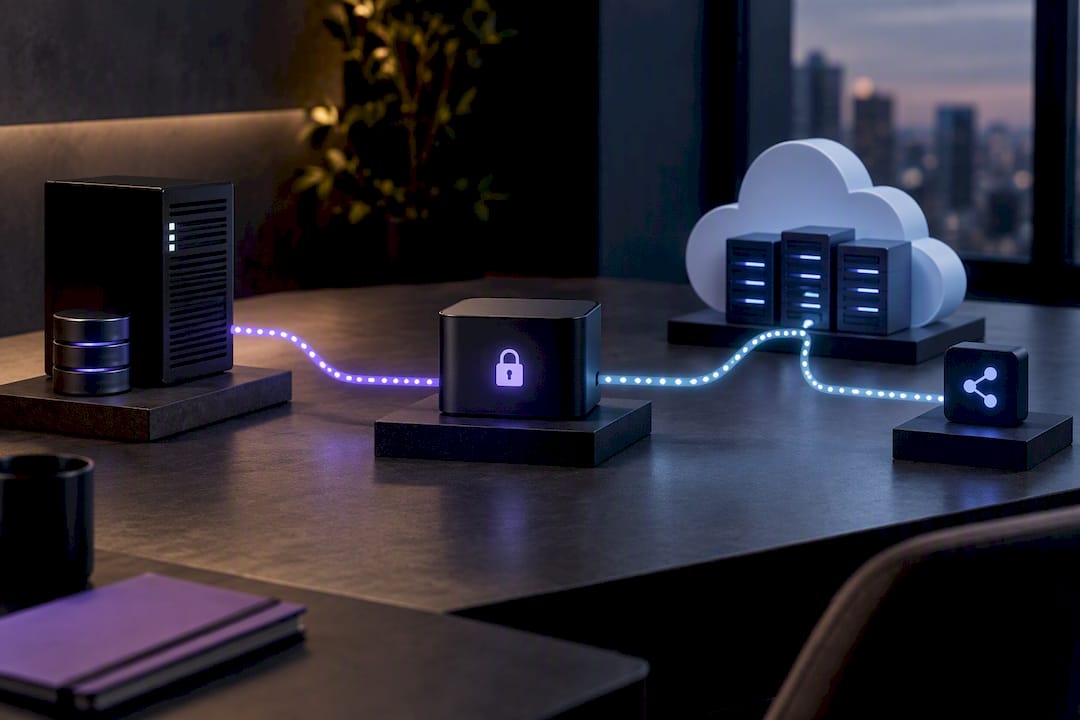
Unofficial WhatsApp Web clients also carry a standing terms-of-service risk that the Business Platform simply doesn't have once you're verified. Encrypted backups, clear retention limits, and a dedicated number for your assistant are the baseline mitigations worth putting in place regardless of which path you choose.
Fixing the Most Common WhatsApp Bot Problems
Most issues that trip up a new deployment fall into four recurring buckets, and each has a fast diagnostic path.
- QR code expired: restart the login flow and use a reliable delivery method, a terminal screenshot or a short-lived link, rather than a static image that can go stale before you scan it.
- Reconnect storms: check your watchdog logs first; raising
keepAliveandconnectTimeoutslightly usually resolves cycles that trigger too aggressively. - Blocked number: pause all bot activity immediately, audit your recent message patterns for anything that looks automated or spammy, then consider migrating to Cloud API with a freshly verified number.
- Webhook errors: confirm your HTTPS certificate is valid, double check your verification token matches what you registered with Meta, and make sure the public URL is actually reachable from outside your network.
Most of these problems trace back to treating a linked-device session like a set-and-forget process. It isn't. Check it the way you'd check any long-running service.
Test Small, Then Scale With the Right Platform
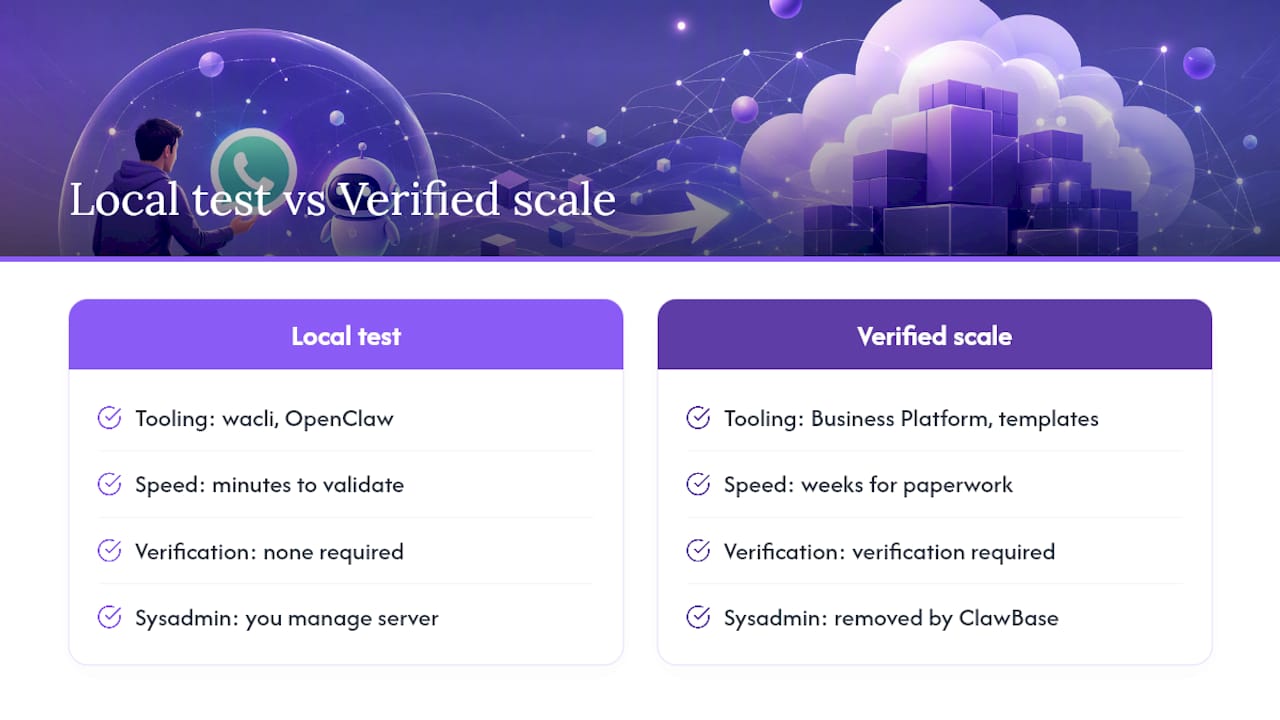
I'd rather see someone validate a WhatsApp AI bot with a scrappy OpenClaw setup than spend three weeks on Business Platform paperwork for an idea that might not work anyway. Start with wacli, message yourself, break it, fix it, and only then decide if the use case justifies verification and templates. The OpenClaw integration guide makes this exact case: fast and local for testing, verified and compliant once you need scale.
Where most people get stuck isn't the bot logic. It's the sysadmin work: keeping a server patched, monitoring uptime, managing memory storage correctly. That's the part ClawBase exists to remove, letting you focus on what your assistant actually does rather than whether the server hosting it is still running.
> *— Iosif Peterfi*
Skip the Server Maintenance With Managed OpenClaw Hosting
Clawbase is the alternative to running your own server for a WhatsApp AI bot: one-click OpenClaw deployment on a dedicated, encrypted machine with 99.9% uptime, so you're not the one patching software or watching logs at 2 a.m.

Once you've validated your bot idea with a personal QR pairing setup, the honest question becomes whether you want to keep managing that server yourself. Self-hosting works fine if you enjoy sysadmin work. If you don't, ClawBase gives you the same OpenClaw core, persistent memory, access to more than 50 AI models, and connections to WhatsApp, Telegram, Discord, and Slack, without touching a terminal after setup. The LITE plan starts at $16 per month, with PRO and MAX tiers available if you need more model access or headroom as your bot's usage grows. Every plan includes a 7-day free trial, so you can move your working prototype onto managed hosting and see how it holds up under real traffic before committing. Get started with ClawBase's quick setup walkthrough and have your assistant running on its own dedicated server today.
Where to Go Next for Official Documentation
For hands-on setup, lean on primary sources rather than secondhand tutorials. The OpenClaw WhatsApp integration page and its channel documentation cover pairing, dmPolicy, and watchdog settings in detail. For production work, the WhatsApp Business Platform Developer Hub and this Cloud API setup walkthrough walk through verification and webhook configuration step by step.
Sources
- OpenClaw — WhatsApp integration
- OpenClaw documentation — WhatsApp channel
- Complete WhatsApp Cloud API Setup Guide (2026) – DEV Community
- Developer Hub | WhatsApp for Business
FAQ
How Do You Use an AI Bot on WhatsApp?
Link an AI assistant to WhatsApp with a QR pairing tool like OpenClaw's wacli integration, or build on the official WhatsApp Business Platform if you need production-grade reliability. Both methods let you message the bot like any other contact once it's connected.
Does WhatsApp Have Built-In AI Bots?
WhatsApp includes Meta AI, a consumer assistant built into the app for search, image generation, and quick answers. It doesn't connect to your own data or business systems, which is why custom bots built on OpenClaw or the Business Platform exist for that purpose.
How Do You Turn On AI Features in WhatsApp?
Meta AI typically appears automatically in supported regions through the chat list or a dedicated icon inside the app. For a custom AI assistant instead of the built-in feature, you'll need to set up an integration like OpenClaw or a Cloud API bot yourself.
Is a WhatsApp AI Bot Free to Run?
A personal setup with OpenClaw's wacli method is free since it runs on infrastructure you already control. The WhatsApp Business Platform charges per conversation once you exceed Meta's free tier, and managed hosting options like ClawBase start at $16 per month for a fully maintained server.