Set Up an AI Assistant with No Coding Skills
2026-06-29

You can set up an AI assistant with no coding using visual platforms that combine language models, knowledge bases, and automation workflows. The industry term for what you are building is an *AI agent*, a system that reasons toward a goal, selects tools, takes actions, and evaluates outcomes. No-code platforms have made this accessible to anyone with a browser and a clear idea of what they want the assistant to do. This guide walks you through every step, from picking the right tools to refining your assistant after launch, so you leave with a working setup and the confidence to keep improving it.
How to set up an AI assistant without coding
Non-technical users can build AI assistants through three main no-code paths: chatbot builders for front-end interaction, workflow automation tools for connecting AI with apps, and visual agent builders for complex reasoning chains. Each path suits a different goal. Chatbot builders work well for answering questions. Workflow tools like Zapier and Make handle multi-step automations. Visual agent builders like Flowise and Botpress let you chain AI models, memory, and knowledge sources together using drag-and-drop nodes.
Think of your AI assistant as having three layers: a brain, a memory, and hands. The brain is the language model, such as an OpenAI GPT model or Claude. The memory stores context across conversations. The hands are the automations that take real actions, like sending an email or updating a spreadsheet. You configure all three visually, without writing a single line of code.

What tools and accounts do you need?
You need a platform account, an API key from your chosen AI model provider, and a reliable internet connection. Most no-code platforms offer free tiers for testing. Paid plans typically cost under $50 per month for active personal or small-team use.
| Category | Entry-level options | What it handles |
|---|---|---|
| AI brain | OpenAI, Claude, open-source models | Language understanding and generation |
| Workflow automation | Zapier, Make, Pabbly | App integrations and trigger-based actions |
| Visual agent builder | Flowise, Botpress | Chaining AI, memory, and knowledge nodes |
| Knowledge base | PDF uploads, URLs, FAQ docs | Domain-specific context for the assistant |
| Memory layer | Buffer memory, vector stores | Multi-turn conversation context |
Zapier alone connects to 6,000+ apps with AI-powered actions. That scale means you can link your assistant to Gmail, Slack, Google Sheets, Notion, and dozens of other tools without any programming. Flowise uses PDF uploads, vector stores, and buffer memory nodes to let your assistant answer document-based questions and hold multi-turn conversations.
How to define your assistant's purpose before you build
The biggest barrier to a successful no-code AI assistant is not the technology. Clear goals enable easier no-code assembly, and unclear goals produce an assistant that does a little of everything poorly. Spend time on this step before you open any platform.
Start by answering these questions:
- What is the one task this assistant will handle first?
- What triggers the assistant to act? A message, a form submission, a scheduled time?
- What does a good output look like? A summary, a reply, a filed document?
- What data or documents does the assistant need to do its job?
- Who will interact with it, and what tone should it use?
Common starting points for personal use include summarizing emails, answering questions from a personal knowledge base, or scheduling reminders. Small business uses include customer FAQ bots, lead qualification flows, and internal HR document assistants. The best approach to planning is to start with one recurring task, then expand incrementally. Trying to automate everything at once is the fastest way to build something that works for nothing.
Pro Tip: *Write your assistant's job description in plain English before you touch any platform. One paragraph describing the role, the trigger, and the expected output will save you hours of rework later.*
Organize your knowledge materials before uploading them. Clean, well-structured FAQ documents and concise policy PDFs produce far better results than raw, unformatted text dumps. The quality of your knowledge base directly determines the quality of your assistant's answers.
Step-by-step: configure your AI assistant with no-code tools
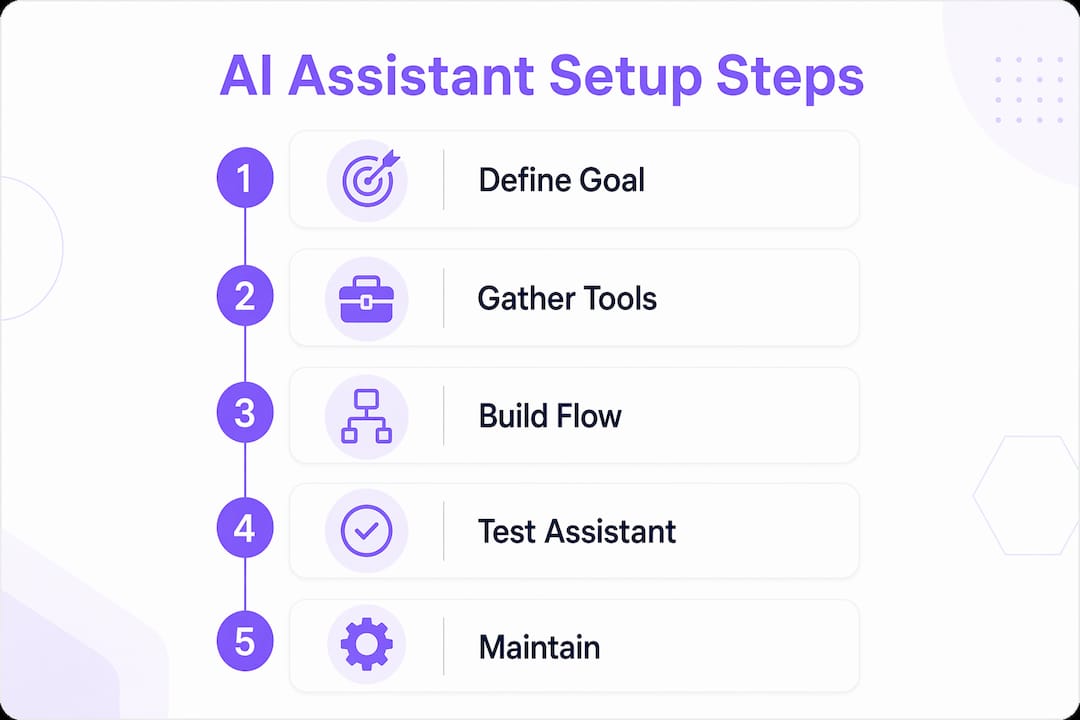
You can build a custom AI assistant in about two hours without writing code. The process follows six repeatable steps.
- Choose your platform. Pick a no-code tool that matches your goal. Use Flowise or Botpress for a reasoning agent. Use Zapier or Make for workflow automation. Create a free account and explore the interface before committing.
- Connect your AI model. Paste your API key from OpenAI, Anthropic, or another provider into the platform's settings. This connects the language model to your visual workspace. No coding is required; it is a form field.
- Write your system instructions. This is the most important configuration step. System instructions should include a clear role definition, constraints, communication style, and output format. Beginners often treat this like casual chat. Treat it like structured programming in plain English instead.
- Upload your knowledge base. Add PDFs, paste URLs, or connect a document folder. Platforms like Flowise convert these into vector stores for semantic search, meaning your assistant finds relevant answers by meaning, not just keyword matching.
- Build your automation workflows. Use drag-and-drop nodes to define what happens when the assistant responds. Connect it to Telegram, Discord, email, or a web chat widget. Set trigger conditions so the assistant activates at the right moment.
- Test with real scenarios. Run actual queries you expect users to send. Check for wrong answers, off-topic responses, and missed triggers. Refine your system instructions and knowledge base based on what you find.
Pro Tip: *Save your system instructions as a text file outside the platform. When you update or migrate tools, you will have your assistant's "personality" ready to paste in immediately.*
The visual drag-and-drop interface in tools like Flowise lets you chain AI model nodes, memory nodes, and knowledge source nodes into a working pipeline. You see the full logic of your assistant on screen, which makes debugging far easier than reading code.
Troubleshooting and maintaining your no-code AI assistant
Deployment is not the finish line. Performance requires ongoing adjustments to knowledge bases and system instructions after launch. Real users ask questions in ways you did not anticipate, and your assistant will occasionally give wrong or incomplete answers. That is normal and fixable.
The most common issues after launch fall into three categories:
- Prompt drift. The assistant starts responding in a tone or format you did not intend. Fix this by adding more specific constraints to your system instructions.
- Knowledge gaps. The assistant says it does not know something it should. Fix this by adding the missing document or FAQ entry to your knowledge base.
- Automation errors. A workflow trigger fires at the wrong time or sends data to the wrong place. Fix this by reviewing your trigger conditions and testing each node individually.
> "Structured prompts are effective programming with natural language. Treat your system instructions with the same care you would give a job description for a new hire."
Add human-in-the-loop checks for high-stakes outputs. If your assistant drafts customer emails, route them through a human review step before sending. This is a simple conditional node in any workflow tool and prevents costly mistakes while you are still refining the setup.
Visual tools cover most use cases without programming, but complex or large-scale deployments may eventually require professional help. If your assistant needs to handle thousands of concurrent users or integrate with a proprietary internal system, that is the point to consider low-code or managed hosting options.
Pro Tip: *Build a "regression test" list of 10 to 15 sample questions that your assistant should always answer correctly. Run this list every time you update your knowledge base or system instructions to catch regressions before users do.*
Key Takeaways
Setting up an AI assistant without coding is achievable for any non-technical user who defines a clear goal, selects the right no-code platform, and commits to iterative testing after launch.
| Point | Details |
|---|---|
| No coding required | Visual platforms like Flowise, Zapier, and Botpress handle all configuration through drag-and-drop interfaces. |
| Goal clarity is the real barrier | Define the task, trigger, and output in plain English before opening any platform. |
| System instructions are critical | Treat your system prompt like a structured job description, not casual conversation. |
| Knowledge base quality matters | Clean, well-organized documents produce far more accurate assistant responses. |
| Maintenance is ongoing | Refine prompts and update your knowledge base regularly to keep performance reliable. |
What I have learned from watching non-technical users build AI assistants
Most people assume the hard part of building an AI assistant is the technology. After watching dozens of non-technical users go through this process, I can tell you the technology is rarely the problem. The hard part is deciding what the assistant should actually do.
I have seen people spend three hours configuring a Flowise pipeline only to realize they never defined what a "good answer" looks like for their use case. The assistant worked technically but produced outputs nobody wanted. That is a goal definition failure, not a technology failure.
The other misconception I keep running into is that no-code means no learning curve. It does not. You still need to understand how system prompts shape behavior, how vector stores retrieve information, and how trigger logic works. None of that requires programming knowledge, but it does require patience and a willingness to experiment. The personal AI agent daily use cases that work best are the ones where the builder iterated at least five or six times before calling it done.
My honest advice: treat your first assistant as a prototype, not a finished product. Give it one job, run it for two weeks, and pay attention to where it fails. Those failure points are your roadmap for the next version. The shift from chatbot to true AI agent, a system that reasons and acts rather than just responds, happens gradually through that iteration process. No single configuration gets you there on day one.
> *— Iosif Peterfi*
Clawbase makes managed AI assistant setup accessible
Getting a working AI assistant off the ground is one challenge. Keeping it running reliably is another.

Clawbase hosts OpenClaw, a powerful open-source AI agent, on a dedicated server with one-click deployment. You get a private, always-on assistant with 99.9% uptime, persistent memory management, and access to over 50 AI models, all without managing servers or writing configuration files. Clawbase connects natively with Telegram and Discord, so your assistant is reachable wherever your team already works. Browse the OpenClaw use cases to see which workflows match your needs, then get started with Clawbase from $16 per month.
FAQ
Can I really set up an AI assistant without any coding?
Yes. No-code platforms like Flowise, Zapier, and Botpress let you configure AI assistants entirely through visual interfaces, form fields, and drag-and-drop workflows.
How long does it take to build a no-code AI assistant?
You can build a functional AI assistant in about two hours using no-code tools, though ongoing refinement takes additional time as you test real-world queries.
What is the difference between a chatbot and an AI agent?
A chatbot follows scripted responses. An AI agent reasons toward a goal, selects tools, takes actions, and evaluates outcomes, making it far more flexible for complex tasks.
Do I need to pay for an AI model to get started?
Most AI model providers offer free tiers or trial credits. Active personal use typically costs under $50 per month, depending on the platform and usage volume.
What should I do when my AI assistant gives wrong answers?
Check your knowledge base for missing or outdated documents, then review your system instructions for vague or conflicting guidance. Iterative prompt refinement resolves most accuracy issues.