AI Exam Preparation Strategies That Actually Work
2026-08-16

The most effective AI exam preparation strategy pairs two coordinated roles: a Quizzer for adaptive retrieval practice and an Examiner for timed, scored simulation. Add a Tutor/Explainer for concept gaps and a Flashcard generator for spaced review, upload your actual course materials, and you have a complete system you can run in your next 30 minutes session.
Start right now — your 30-to-60-minute launch checklist:
- Upload your syllabus, lecture slides, or a past paper to Claude or ChatGPT
- Run a 10-question diagnostic quiz on your weakest topics (ask the AI to score each answer)
- Ask the AI to generate a weighted study schedule, giving low-confidence topics significantly more study time
- Schedule your first mock exam for day 4 or 5 of your plan
- Save your question bank as a text file or CSV for import into Anki or RemNote
Best tools to start with:
- Claude (Anthropic): Handles long documents well; ideal for uploading full syllabi and running the Examiner role with detailed feedback
- ChatGPT (OpenAI): Flexible for all four roles; Custom GPTs let you lock in a persona and scoring rubric permanently
- Claude Projects: Persistent context across sessions; upload your course files once and every subsequent conversation references them automatically
***
Key Takeaways
The most effective AI exam preparation strategy combines role-based prompting (Quizzer, Examiner, Tutor, Flashcard generator) with retrieval practice and spaced repetition, anchored to your actual course materials from day one.
| Point | Details |
|---|---|
| Use two coordinated roles | Run Quizzer for daily retrieval practice and switch to Examiner for timed simulation as your proficiency improves on a topic. |
| Upload real course materials | Questions drawn from your actual syllabus and lecture slides are far more relevant than generic prompts. |
| Schedule mocks on day 4 or 5 | An early mock surfaces weak areas while you still have time to address them with targeted Quizzer sessions. |
| Verify every AI output | Cross-check numeric values, formulas, and citations against official exam objectives or your textbook before trusting them. |
| Clawbase for persistent workflows | Clawbase hosts a private OpenClaw agent with persistent memory, encrypted file storage, and 50+ models for students who need continuity across sessions. |
***
Table of Contents
- Why do AI exam preparation strategies actually improve retention?
- What are the core AI roles and when should you use each one?
- How do you build a workflow from syllabus to timed mock exam?
- What prompt templates can you copy and use right now?
- Which tools make this workflow practical?
- How do you validate AI outputs and catch errors before they cost you?
- How do you use AI ethically and stay within your institution's policies?
- When does a private, always-on AI agent make sense for studying?
- What these workflows actually changed about exam prep
- Clawbase gives you a private, persistent study agent without the setup
- Sources
Why do AI exam preparation strategies actually improve retention?
The gains come from *what* AI enables, not from AI itself. When you use a chatbot to quiz you one question at a time and force yourself to recall an answer before seeing feedback, you are doing retrieval practice, which cognitive science consistently identifies as more effective for long-term retention than re-reading notes or watching lecture replays.
Pair that with spaced repetition and the effect compounds. A practical cadence is the +1/+3/+7 rule: review a topic one day after first learning it, again three days later, then seven days after that. Each review session resets the forgetting curve at a higher baseline. AI accelerates this by generating fresh questions on demand, so you are never re-reading the same flashcard verbatim.
The third principle is interleaving. Blocked practice, where you drill one topic until it feels solid before moving to the next, creates an illusion of competence. Interleaving topics within a single session, by contrast, forces your brain to retrieve the right framework before applying it, which is exactly what exams demand. Students using AI study tools strategically report retention and efficiency improvements when AI enables more effective spaced repetition and retrieval practice.
Evidence-backed principles to pair with every AI session:
- Retrieval practice: Always answer before reading the AI's explanation; never skip to the answer
- Spaced repetition (+1/+3/+7): Schedule AI review sessions at increasing intervals, not back-to-back
- Interleaving: Mix at least two topics per session; resist the urge to block-practice one chapter at a time
- Weighted scheduling: A 30-minute diagnostic plus AI-generated weighted schedule gives low-confidence topics roughly twice the study time, making automated plans far more useful than generic timetables
***
What are the core AI roles and when should you use each one?
Four roles cover the full study cycle. Each maps to a distinct phase, and knowing when to switch is as important as knowing how to prompt.
Quizzer
The Quizzer generates questions from your materials, presents them one at a time, waits for your answer, and then gives correctness feedback with a short correction. This is your primary tool during the practice phase. Upload your lecture slides or chapter summaries and ask the Quizzer to escalate difficulty as your score improves. Northeastern's student guide specifically recommends uploading course materials for targeted quizzes, noting that questions drawn from your actual files are far more relevant than generic prompts.
That is the signal to move to the Examiner.
Examiner
The Examiner runs timed, full-length simulations under exam-like conditions: no hints, no mid-answer corrections, a strict time limit, and a scored debrief at the end. Oral exam simulations in this role reduce test anxiety and improve articulation, because you practice retrieving and explaining under pressure rather than in a low-stakes environment.
Tutor/Explainer
When a Quizzer session reveals a concept you cannot answer correctly after two attempts, switch to the Tutor. Ask it to explain the concept from first principles, give an analogy, then quiz you on that specific point before returning to the broader session. This role supports AI critical thinking support by pushing you to articulate understanding, not just recognize answers.
Flashcard generator
After each Quizzer session, ask the AI to convert your wrong answers into flashcard pairs (front: question; back: concise answer). Export these as CSV for bulk import into Anki or RemNote. This closes the loop between active testing and spaced review.
Pro Tip: *Tag each generated question by topic, difficulty (easy/medium/hard), and error type (recall gap, application error, misconception). This metadata lets you mine patterns after a mock exam and convert your most frequent error types into targeted flashcard decks.*
***
How do you build a workflow from syllabus to timed mock exam?
The best workflow follows six steps: centralize materials, run a diagnostic, build a weighted schedule, run progressive practice sessions, simulate a full mock exam, and mine errors. Here is how each step works in practice.
- Centralize your materials (Day 1, 20 minutes). Gather your syllabus, lecture slides, past papers, and any official exam blueprint into one folder. Upload them to Claude Projects or a Custom GPT so every subsequent session references the same files without re-uploading.
- Run a diagnostic (Day 1, 30 minutes). Ask the AI to quiz you on every major topic in the syllabus, one question each, and rate your confidence after each answer (1–5). The output is a ranked list of weak areas. Low-confidence topics get substantially more scheduled time in the next step.
- Build a weighted study schedule (Day 1, 10 minutes). Feed your diagnostic results to the AI and ask it to generate a day-by-day plan using +1/+3/+7 spaced reviews. Ask it to insert a buffer day every five days to absorb slippage. The AI Tools Guidebook's exam study plan guidance recommends this weighting approach explicitly.
- Run progressive Quizzer sessions (Days 2–4, 25–40 minutes each). Work through weak topics first. Each session: answer questions one at a time, review corrections immediately, and flag any item you miss twice for the Flashcard generator. Export wrong answers to Anki or RemNote at the end of each session.
- Simulate a timed mock exam (Day 4 or 5, full exam duration). Switch to the Examiner role. Set a timer matching your real exam length. No hints. Answer every question before reading feedback. Numerous prescribes this early mock specifically to surface weak areas while you still have time to address them.
- Mine errors and retest (Day 5 onward). After the mock, ask the AI to categorize every wrong answer by topic and error type. Build a targeted Quizzer session from those categories. Retest the same items three days later using your spaced-review schedule.
Session length guidance:
- Diagnostic: 30 minutes, once
- Quizzer sessions: 25–40 minutes, daily on weak topics
- Mock exam: full exam duration, no breaks
- Error-mining review: 20–30 minutes, scheduled at +3 and +7 days after the mock
***
What prompt templates can you copy and use right now?
The most effective prompts are specific about role, source material, format, and feedback style. Below are fill-in-the-blank templates you can drop directly into Claude, ChatGPT, or a Custom GPT.
Quizzer prompt
You are a Quizzer. I am preparing for [EXAM NAME].
Source material: [PASTE CHAPTER SUMMARY / UPLOAD FILE].
Quiz me one question at a time on [TOPIC].
Wait for my answer before responding.
After each answer, tell me: (1) correct or incorrect, (2) a 1–2 sentence correction or confirmation.
Start at medium difficulty and escalate if I answer three in a row correctly.
Begin now.
Examiner prompt
You are an Examiner simulating [EXAM NAME / ORAL EXAM / WRITTEN EXAM].
Time limit: [X MINUTES] for [N QUESTIONS].
Do not give hints or corrections during the exam.
After I submit all answers, score each one using this rubric:
  - Conceptual accuracy: 40 points
  - Application / problem-solving: 40 points
  - Clarity of explanation: 20 points
Present questions one at a time. Start the timer now.
Diagnostic prompt
I am preparing for [EXAM NAME]. Here is my syllabus: [PASTE OR UPLOAD].
Ask me one question per major topic to assess my baseline.
After each answer, note whether I was correct and ask me to rate my confidence (1–5).
At the end, give me a ranked list of topics from weakest to strongest.
Tutor/Explainer prompt
I answered this question incorrectly: [PASTE QUESTION AND MY ANSWER].
The correct answer is [CORRECT ANSWER].
Explain the underlying concept from first principles.
Give me one analogy.
Then ask me one follow-up question to confirm I now understand it.
Flashcard generator prompt
Convert the following wrong answers into Anki-compatible flashcard pairs.
Format: Front | Back
Each front should be a question; each back should be a concise answer (1–2 sentences).
Wrong answers: [PASTE LIST]
Adapting prompts to exam format:
- MCQ exams: Add "present each question as four options (A–D)" to the Quizzer prompt
- Essay exams: Replace the Quizzer with an open-response version: "Ask me one essay question; I will write a 200-word response; then score it on argument, evidence, and structure"
- Problem-solving / math: Ask the Examiner to show only the problem, not the method; score on final answer and working shown
- Oral exams: Run the Examiner prompt in a voice-to-text interface; ask the AI to flag filler words and unclear explanations in its debrief
The RemNote study guide and Duke ARC's exam prep guidance both recommend anchoring every prompt to official exam objectives, not just general topic names, so the AI generates questions that match the actual test's scope.
***
Which tools make this workflow practical?
The right tool depends on what you need from a session. General-purpose chatbots handle flexible role-playing and long explanations; study-specific apps handle scheduling and spaced repetition. Most students benefit from using both layers.
General-purpose chatbots:
- Claude (Anthropic): Strong at processing long uploaded documents; handles a full syllabus PDF without truncating context. Free tier available; larger context windows on paid plans.
- ChatGPT (OpenAI): Flexible for all four roles; Custom GPTs let you save a persona, rubric, and system prompt permanently so you do not re-enter instructions each session.
- Claude Projects: Persistent file storage across conversations; upload your course materials once and every new chat inherits them. Particularly useful for multi-week study plans.
Study-specific SRS tools:
- Anki: Free, open-source spaced-repetition flashcard system. Import AI-generated cards via CSV (columns: front, back, tags). The algorithm handles scheduling automatically.
- RemNote: Combines note-taking with built-in SRS; you can paste AI-generated Q&A pairs directly into a document and they become reviewable flashcards.
Productivity integrations:
- Numerous.ai: Spreadsheet-based AI tool; useful for building and organizing large question banks in a tabular format.
- Quizlet: Accepts CSV imports; good for sharing question sets with study groups.
For a deeper look at how these tool categories compare, the types of AI learning tools guide breaks down chatbots, SRS systems, and toolchains side by side.
When a private hosted agent is worth considering:
Public chatbots reset context between sessions and store conversation data on third-party servers. If your course materials include sensitive content (medical case studies, proprietary research, confidential exam drafts), a private hosted agent gives you encrypted storage and persistent memory without sharing files externally. The personal AI tutor guide covers the decision criteria in detail.
Pro Tip: *Export your AI-generated question bank as a CSV with columns: question, answer, topic, difficulty, error_type. Import directly into Anki using the "Import File" function. This single step converts every Quizzer session into a permanent, scheduled review deck.*
***
How do you validate AI outputs and catch errors before they cost you?
AI models can be confidently wrong on technical specifics. Certification-study guides warn that large language models sometimes fabricate citations, misstate numeric values, or invent past-paper formats that do not match the real exam. The fix is a short verification habit, not wholesale distrust.
Validation checklist (run after every Quizzer or Examiner session):
- Cross-check any numeric value, formula, or date against your textbook or official exam blueprint
- Ask the AI: "What is your source for this answer?" If it cannot name one, treat the answer as unverified
- Sample 3–5 questions per session against an authoritative source (official objectives, vendor documentation, course slides)
- Flag any question where the AI's answer contradicts your lecture notes; resolve with the primary source, not a follow-up AI prompt
Common failure modes and quick fixes:
- Fabricated citations: AI invents author names or paper titles. Fix: never use AI-generated citations in submitted work; verify every reference independently.
- Wrong numeric values: Especially common in chemistry, pharmacology, and finance. Fix: always confirm thresholds, constants, and rates against official documentation.
- Invented exam formats: AI may generate MCQ options or essay prompts that do not match your actual exam's structure. Fix: upload a real past paper and ask the AI to match that format exactly.
- Overconfident explanations: The model presents a plausible but incorrect mechanism. Fix: if an explanation surprises you, ask "Is there a competing interpretation of this?" before accepting it.
Error-mining workflow after a mock exam:
- List every wrong answer with the question, your response, and the correct answer
- Ask the AI to categorize errors by type: recall gap, application error, or conceptual misconception
- For each category, generate a targeted 5-question Quizzer session
- Schedule those sessions at +3 and +7 days using your spaced-review calendar
The RemNote workflow guide emphasizes that AI cannot replace verification against official objectives; it can only accelerate the practice layer on top of that foundation.
***
How do you use AI ethically and stay within your institution's policies?
Using AI to practice, generate questions, and get explanations is legitimate study behavior. Using AI to produce submitted work without disclosure is academic misconduct, regardless of how the output is edited afterward.
> The core principle: AI is a study partner, not a ghostwriter. Every word you submit for grading should represent your own understanding. Using AI to test that understanding before the exam is exactly what these tools are designed for.
Dos:
- Use AI to generate practice questions, run mock exams, and explain concepts you do not understand
- Disclose AI-assisted study if your institution's honor code requires it (many do not for self-study, but check)
- Keep a log of your AI sessions (date, tool, purpose) in case you are asked to describe your study process
- Use AI outputs as a starting point for your own notes, not as final answers to copy
Don'ts:
- Do not submit AI-generated text as your own written work without explicit instructor permission
- Do not use AI during a closed-book exam unless the exam explicitly permits it
- Do not rely on AI-generated citations in submitted bibliographies; verify every source independently
- Do not share confidential exam materials (unreleased past papers, instructor drafts) with public AI services
Suggested disclosure phrasing (if required):
*"I used [Claude / ChatGPT] to generate practice questions and simulate exam conditions during my independent study. All submitted work reflects my own analysis and writing."*
Check your institution's academic integrity policy before your first AI study session. Policies vary significantly: some universities explicitly permit AI-assisted study while prohibiting AI-generated submissions; others have broader restrictions. The Duke ARC exam prep guidance addresses this directly and is worth reading alongside your own institution's policy.
***
When does a private, always-on AI agent make sense for studying?
A private hosted agent is worth the investment when three conditions apply: you want persistent memory across sessions, you need to upload sensitive course files securely, and you want scheduled or automated practice without re-entering prompts each time.
Selection criteria checklist:
- Persistent memory: Does the agent remember your question bank, weak topics, and study schedule between sessions? Public chatbots typically do not.
- Uptime and reliability: A study agent that goes offline during a pre-exam sprint is a liability. Look for 99.9% uptime guarantees.
- Model selection: Access to multiple models (not just one) lets you route complex conceptual questions to a stronger model and quick flashcard generation to a faster, cheaper one.
- File storage and privacy: Encrypted file uploads mean your course materials stay on your server, not on a shared inference platform.
- Integrations: Telegram or Discord connections let you run a quick Quizzer session from your phone between classes without opening a browser.
- Automated backups: Daily encrypted backups protect your question banks and session transcripts.
Benefits vs. tradeoffs:
A private agent gives you continuity (your study history persists), privacy (files stay encrypted on your server), and automation (scheduled daily quizzes, transcript exports). The tradeoffs are cost and initial setup. For a student with a high-stakes exam and several weeks of preparation, the continuity alone tends to justify the cost. For a one-week cram session, a free public chatbot is probably sufficient.

Pro Tip: *If you go the private-agent route, set up a daily scheduled quiz prompt that fires at the same time each morning. Consistent retrieval at a fixed time builds a study habit that compounds over weeks, not just days.*
***
What these workflows actually changed about exam prep
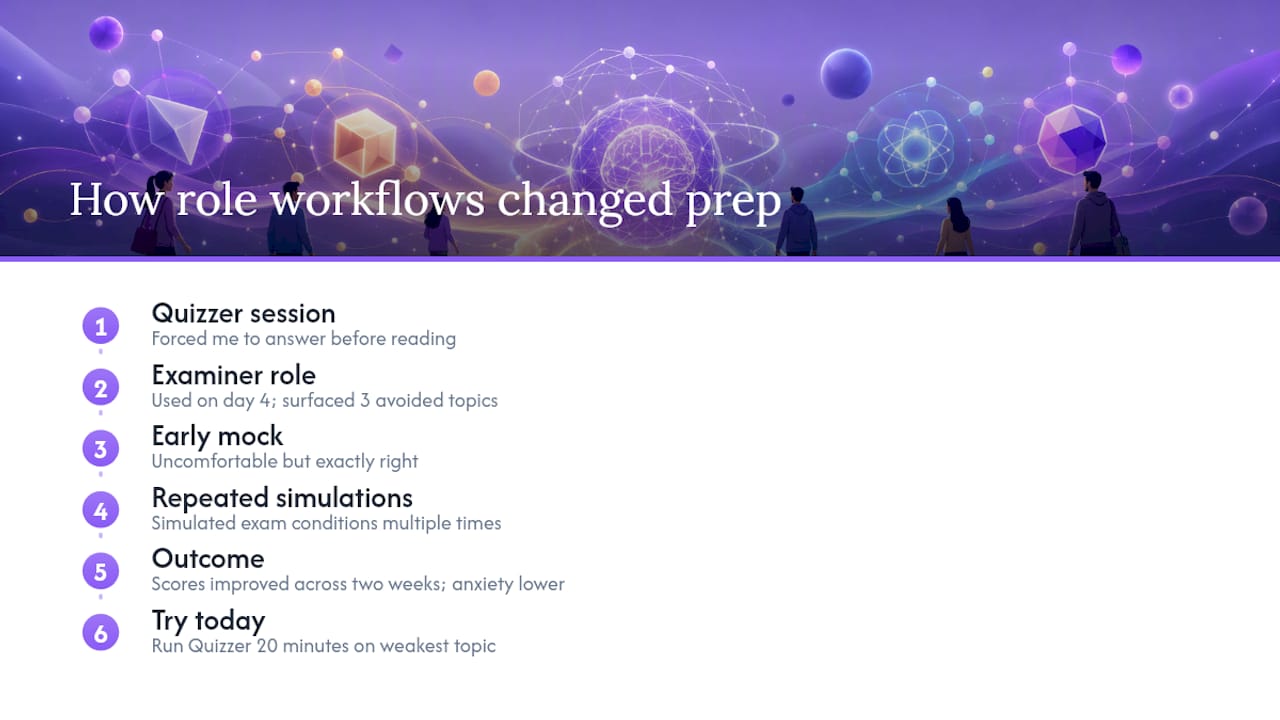
I started testing role-based AI workflows during a particularly dense certification cycle, the kind where the syllabus spans a dozen topic areas and a single mock exam takes three hours. The shift that mattered most was not the AI itself; it was the structure the roles imposed. Running a Quizzer session forced me to answer before reading, which sounds obvious but is almost impossible to enforce with static flashcards. Switching to the Examiner role on day 4, before I felt ready, surfaced three topic areas I had been unconsciously avoiding. That early mock was uncomfortable and exactly right.
The concrete outcome: my mock exam scores improved steadily across the two weeks, and the anxiety that usually peaks the night before an exam was noticeably lower, because I had already simulated the conditions multiple times. The Northeastern guide's observation that oral simulations reduce test anxiety matched my experience precisely. If you try one thing from this article today, run the Quizzer prompt on your weakest topic for 20 minutes. The discomfort of not knowing an answer before the AI tells you is the whole point.
***
Clawbase gives you a private, persistent study agent without the setup
Most students hit the same wall eventually: public chatbots reset context between sessions, file uploads disappear, and there is no way to schedule a daily quiz without re-entering every prompt from scratch. Clawbase solves that by hosting OpenClaw, an open-source personal AI agent, on a dedicated encrypted server with one-click deployment and no sysadmin work required.

For exam prep specifically, the features that matter are persistent memory (your question banks, weak-topic lists, and study schedules survive between sessions), access to over 50 AI models (route heavy document analysis to a larger model and quick quizzes to a faster one), encrypted file uploads (your course materials stay private), and integrations with Telegram and Discord so you can run a Quizzer session from any device. Daily encrypted backups mean you never lose a question bank you spent hours building.
A 7-day free trial on the entry plan lets you test the full workflow before committing. See the OpenClaw use cases for a breakdown of how a hosted agent supports study workflows, or go directly to Clawbase to start your trial.
***
Sources
The sources below are worth bookmarking alongside this guide. Each one covers a specific layer of the workflow in more depth.
- AI student guides — Using AI to help prepare for quizzes and exams
- How to Study for Exams Using AI: Tools, Prompts & Tips
- How to Use AI to Study
- Retrieval practice