Architecture First AI Assistant Privacy for Professionals: 50+ Models
2026-08-31

Some AI assistants are effectively private only when their architecture prevents provider access; otherwise, privacy comes down to whichever settings and retention windows the provider chooses. The fastest checks: opt out of model training, use temporary chat modes, set auto-delete, and confirm memory storage. A managed deployment like Clawbase's OpenClaw hosting builds several of these protections into the infrastructure, rather than leaving them as toggles you have to remember.
***
> TL;DR:
>
> - Opt out of model training and enable auto-delete features to minimize data retention beyond temporary storage periods.
> - Use dedicated, encrypted servers like managed OpenClaw hosting to ensure infrastructure-level privacy protections and session control.
> - Understand that data from prompts, files, connected apps, and device signals all traverse multiple systems, increasing exposure risks.
> - Hardware-based solutions such as zero-knowledge encryption and trusted execution environments provide stronger privacy guarantees than policy promises.
> - Enterprises should require contractual safeguards, including BYOK encryption keys, dedicated instances, and comprehensive audit logs, for sensitive data handling.
***
Table of Contents
- What Data Flows Through an AI Assistant
- Retention, Training, and What Opting Out Really Changes
- Architectures That Make Privacy Real
- Contextual Integrity: The Framework Behind Smart Permissions
- Your Privacy Checklist for Using AI Assistants Right Now
- What Enterprises and Professionals Need to Demand
- Where a Managed OpenClaw Deployment Fits the Privacy Checklist
- How Providers Handle Transparency and Breach Disclosure
- Prioritizing Architecture Over Policy Promises
- Get Privacy Built Into Your AI Assistant From Day One
- Sources
What Data Flows Through an AI Assistant
Every prompt you type is the smallest piece of what actually moves through an AI assistant's systems. Once you add file uploads, connected apps, and background device signals, the exposure surface gets a lot bigger than most people assume.
Here's what typically travels from your device to a provider's infrastructure:
- Prompts and chat history — the literal text or voice input you send, plus prior turns the model uses for context.
- Files and uploads — PDFs, spreadsheets, images, and code you attach for the assistant to analyze.
- Device and session signals — IP address, browser fingerprint, timestamps, and sometimes location metadata.
- Connected app data — calendars, email, CRM records, or messaging platforms an assistant integrates with (Telegram, Slack, and similar tools all fall in this category).
- API connector traffic — data pulled or pushed through third-party plugins and tool calls.
- Browser relay activity — content passed through a proxy layer when an assistant browses the web on your behalf.
That data doesn't stop at the provider's front door. A typical path runs from your device to the assistant's platform, then often to a separate model provider or subprocessor running the actual inference. Along the way, the system may cache prompts for speed, generate embeddings for semantic search, or route content through a moderation layer to catch abuse.
Each of those steps is a place where data can linger. Provider logs capture request metadata for debugging. Backups preserve conversation snapshots for disaster recovery. Human review queues, used to catch safety violations or improve model quality, mean a real person may read flagged conversations. None of this is necessarily malicious, but it means "your data went to the AI" is really shorthand for "your data touched four or five different systems, each with its own retention rules."
Retention, Training, and What Opting Out Really Changes
Opting out of model training and having your data deleted are two completely different things, and providers rarely make that distinction obvious in their settings menus.
Training opt-out stops your conversations from being used to improve future model versions. Retention is a separate clock that governs how long your raw conversation logs sit on a provider's servers, independent of whether that data ever touches a training pipeline. You can turn off training entirely and your chats might still exist in backups or safety-review queues for weeks.
The concrete numbers here matter more than the marketing language around them.
> By the numbers: OpenAI documents that conversations flagged for safety review can be retained for up to 30 days even when a user has opted out of training, while Microsoft's Copilot privacy documentation describes retention periods reaching 18 months for some stored conversation data by default.
That gap between a 30-day safety hold and an 18-month default retention window is exactly why reading the specific policy for the specific product you use matters more than assuming all "AI assistants" behave the same way.
A few practical moves close most of that gap:
- Use temporary chat modes (OpenAI calls this "Temporary Chats") when a conversation shouldn't persist at all.
- Turn on auto-delete where the provider offers a rolling deletion window instead of indefinite storage.
- Use memory toggles to control whether an assistant retains facts about you across sessions.
- Run periodic data export and deletion requests rather than assuming an opt-out retroactively clears history.
None of these controls are hidden exactly, but they're scattered across settings menus most people never open twice.
Architectures That Make Privacy Real
Policy language can change with a product update. Architecture is harder to walk back, which is why privacy-conscious professionals increasingly judge assistants by what's technically possible rather than what a privacy policy promises.
Zero-knowledge key management is the strongest version of this. In a true zero-knowledge system, encryption keys are derived on your device and never transmitted to provider infrastructure, meaning the provider mathematically cannot decrypt your data, even if compelled by a court order. According to a technical primer on zero-knowledge architecture, the test insiders actually use is simple: ask whether the key ever leaves the client. If it does, the "zero-knowledge" label doesn't hold up.
Trusted Execution Environments (TEEs) take a different approach. They run computation inside hardware-isolated enclaves that even the infrastructure operator can't peek into, with attestation reports proving the enclave hasn't been tampered with. DuckDuckGo's Duck.ai uses this pattern, combining TEEs with metadata anonymization to keep model providers from linking a request back to a specific user.
Local-first processing skips the network trip entirely by running models on-device, trading raw capability for privacy. Cloud hosting flips that trade-off, offering access to larger, more capable models at the cost of trusting a remote provider. Hybrid patterns, like a dedicated encrypted server you control, split the difference: you get cloud-scale model access without pooling your data into a multi-tenant system alongside every other customer.
Pro Tip: *Don't take a vendor's privacy page at face value. Ask for a whitepaper, an independent attestation report, or a cryptographic audit. If a company can't produce documentation showing how keys are generated and where they live, treat the privacy claim as marketing until proven otherwise.*
Contextual Integrity: The Framework Behind Smart Permissions
Most privacy failures aren't about data leaking to strangers. They happen when information moves from one context to another in a way you never agreed to, like a work assistant surfacing a medical question in a meeting summary. That's the core idea behind contextual integrity (CI): privacy isn't about secrecy, it's about information flowing appropriately for the context it was shared in.

CI reframes the entire privacy problem for AI assistants that take autonomous actions. An assistant that reads your email to schedule a meeting is behaving appropriately. The same assistant using that email content to answer an unrelated question in a different app is a contextual violation, even if no data technically "leaked" anywhere.
Permission models are how CI gets enforced in practice:
- Per-project memory keeps what an assistant learns in one workspace from bleeding into another.
- Scoped connectors limit an integration (say, a Discord bot) to exactly the channels and permissions it needs, nothing broader.
- Attribute-based access control grants permissions based on role or context rather than blanket access.
- Consent prompts for file access force an explicit yes/no before an assistant touches a new folder or document type.
Researchers have started operationalizing this with concrete engineering patterns rather than just principles. A study on operationalizing contextual integrity in privacy-conscious assistants found that adding information-flow checks, sometimes called Information Flow Cards, before any tool call or data share, along with CI-based policy supervisors, meaningfully reduces inappropriate information sharing when assistants act on their own. That distinction between "the assistant is following instructions" and "the assistant is respecting context" is one most privacy policies never even mention.
Your Privacy Checklist for Using AI Assistants Right Now
You don't need a security background to tighten this up. Run through these in order:
- Check your training opt-out setting. Find it in account or data controls, not buried in a general privacy menu.
- Switch to temporary chat mode for any conversation involving sensitive information.
- Set auto-delete on a rolling window (30 days is a reasonable default for most personal use).
- Remove unused connectors and integrations. Every linked app is a permission you probably forgot you granted.
- Enable passkeys where available and keep API keys or secrets out of chat windows entirely.
- Review your data export and retention options and actually export or delete something once to confirm the tools work as described.
Verifying a "no training" claim takes one extra step most people skip: check whether the provider excludes your data from the training pipeline specifically, or whether it also stops storing that data for other purposes like analytics or product improvement. Those are not the same guarantee, and providers often word their policies to sound identical when they aren't. Managing files with an AI assistant safely depends heavily on getting this distinction right before you upload anything sensitive.
Pro Tip: *Never paste API keys, passwords, or client secrets directly into a chat window, even a "temporary" one. Store them in a secrets manager and reference them through an integration instead. A screenshot of a leaked key in a chat log is one of the most common, and most avoidable, exposure incidents.*
What Enterprises and Professionals Need to Demand
Individual settings only go so far once you're processing client data, health records, or financial information. At that point, the conversation shifts from toggles to contracts.
A minimum viable contract includes a signed Data Processing Agreement (DPA), a disclosed list of subprocessors (who else touches the data downstream), and a defined breach notification timeline, not a vague "we'll let you know eventually" clause. On the technical side, look for:
- Bring-your-own-key (BYOK) support, so encryption keys stay under your organization's control rather than the vendor's.
- Dedicated instances instead of multi-tenant pooling, especially for regulated data.
- Audit logs that record who accessed what, and when, in a format your compliance team can actually export and review.
Multi-tenant, default cloud deployments rarely satisfy high-trust use cases, which is why serious evaluations increasingly treat BYOK and instance isolation as non-negotiable rather than nice-to-haves. Beyond the contract, the EDPB's guidance on AI privacy risks recommends privacy-by-design and systematic risk management across the entire model lifecycle, covering collection, inference, retrieval-augmented generation, and feedback loops, not just the initial data intake.
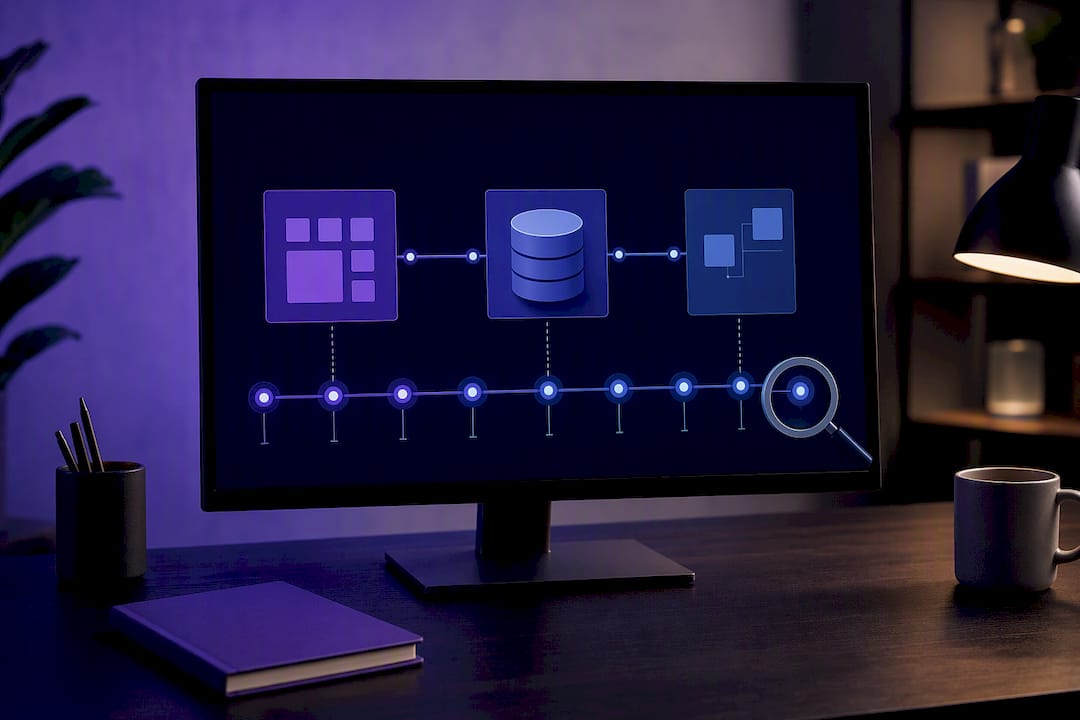
When an assistant is given access to sensitive systems (a CRM, a shared drive, a sales pipeline), logging and forensics stop being optional. You need a record of every automated action the assistant took, not just the conversations that triggered them. Teams building AI-assisted sales workflows run into this constantly: automation is only trustworthy if you can reconstruct exactly what it did after the fact. An AI compliance framework built around this kind of auditability is what separates a usable enterprise deployment from a liability.
Where a Managed OpenClaw Deployment Fits the Privacy Checklist
Everything above points toward one conclusion: privacy protections that live in infrastructure beat privacy protections that live in a settings menu you might forget to check. That's the design premise behind Clawbase's managed OpenClaw hosting.
Each deployment runs on a dedicated, encrypted cloud server, not a shared multi-tenant pool, which addresses the isolation concern enterprises specifically evaluate for. Persistent memory is under your control, so what the assistant remembers across sessions is a choice you make, not a default you inherit. Multi-model routing across more than 50 supported models happens without your keys or credentials being exposed across that routing layer, which matters if you're switching between providers for cost or capability reasons. Daily encrypted backups and automated updates mean the maintenance burden that normally falls on whoever self-hosts OpenClaw doesn't become a security liability from deferred patching.
Some responsibilities stay with you regardless of hosting: which connectors you enable, what you choose to upload, and how you configure per-project memory boundaries. A private AI assistant deployment shifts the infrastructure risk off your plate, but the contextual integrity decisions, what data belongs in which project, which integrations actually need access, remain yours to configure.
How Providers Handle Transparency and Breach Disclosure
A privacy policy is only as good as a provider's willingness to update you when something goes wrong. Transparency here shows up in a few concrete places: published data processing documentation, clear versioning when a privacy policy changes, and a defined breach notification process rather than a generic promise to "take security seriously."
The strongest signal isn't the absence of incidents. It's how a provider communicates when one happens. A breach notification that specifies what data was affected, how many users were impacted, and what remediation steps are underway tells you more about a company's actual accountability than any marketing page. Vague statements that avoid specifics are a warning sign, not reassurance.
Regulatory frameworks add another layer of enforced transparency. Under GDPR, providers serving EU users face mandatory breach notification within 72 hours of discovery. CCPA imposes disclosure obligations for California residents. HIPAA governs anything touching protected health information in the US, which matters if you're using an assistant anywhere near medical records. None of these frameworks guarantee an AI assistant is private by design, but they do force a baseline of disclosure that voluntary privacy policies don't always match on their own.
Public sentiment reflects real skepticism about whether this transparency is sufficient. Pew Research's polling on how Americans view artificial intelligence shows a large share of the public remains concerned about AI privacy and wants stronger controls and clearer disclosure from providers, not just after something breaks, but as a standing practice.
Prioritizing Architecture Over Policy Promises
If you take one thing from this, let it be that privacy policies describe intentions, and architecture describes limits. A provider can change its policy tomorrow with a blog post. A provider running a genuine zero-knowledge system can't suddenly start reading your data no matter what a future policy says, because the technical capability to do so was never built. That's why architecture should be your first filter, and contract language your second.
For an individual, the practical next step is small: pick one assistant you use regularly and verify its retention window and training opt-out today, not "eventually." For an enterprise buyer, the next step is bigger but just as concrete: put BYOK and dedicated-instance requirements into your next vendor evaluation, in writing, before you sign anything.
> *— Iosif Peterfi*
Get Privacy Built Into Your AI Assistant From Day One
Most privacy fixes discussed here (temporary chats, auto-delete, training opt-outs) are settings you have to remember to configure and re-check every time a provider updates its product. Clawbase takes a different approach: managed OpenClaw hosting puts you on a dedicated encrypted server from the first deployment, with persistent memory control and multi-model routing across 50-plus models built into the infrastructure rather than left as toggles.

That means the architectural protections professionals are told to demand from enterprise vendors (dedicated instances, encrypted backups, no shared multi-tenant pooling) come standard rather than as an upsell. If you've been running OpenClaw yourself and managing the sysadmin overhead, or you're evaluating a first deployment for a team, explore the OpenClaw use cases built for professionals and start a 7-day trial on a managed OpenClaw server to see the setup running on your own dedicated instance before committing to a plan.
Sources
- How ChatGPT learns about the world while protecting privacy | OpenAI
- Privacy FAQ for Microsoft Copilot
- Operationalizing Contextual Integrity in Privacy-Conscious Assistants
- EDPB: AI privacy risks and mitigations in LLMs