The Role of AI in Daily Life: Your 2026 Guide
2026-06-22

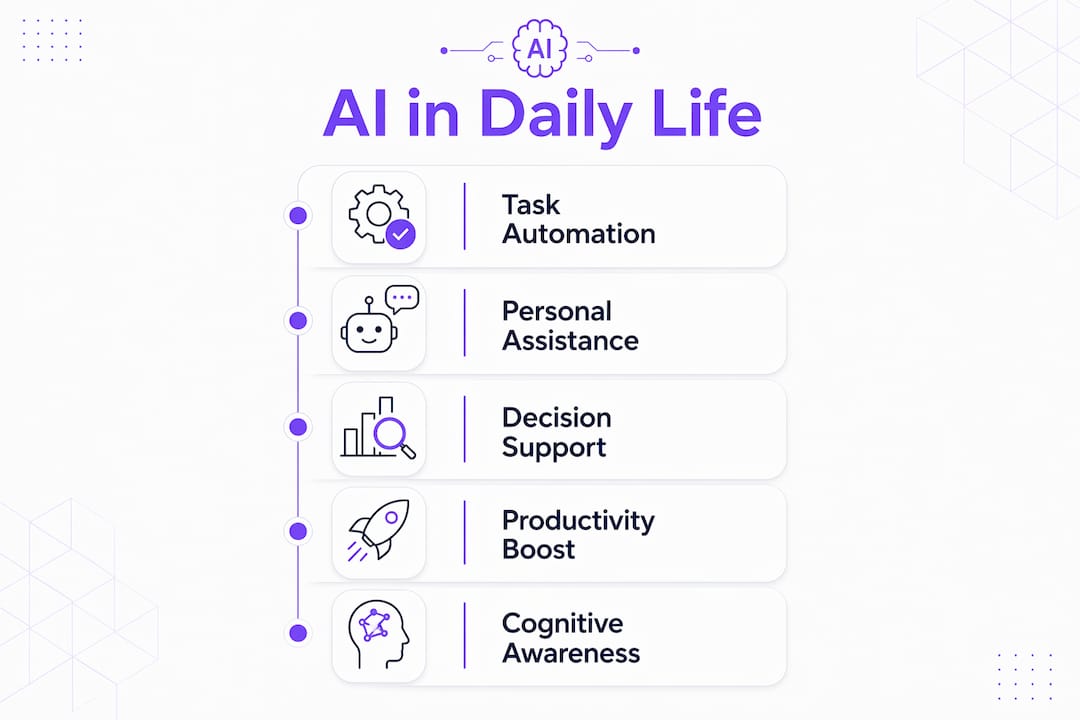
The role of AI in daily life is to automatically assist with routine tasks, improve productivity, and support decision-making through intelligent software and devices. AI is no longer confined to research labs or enterprise software. Tools like ChatGPT, Siri, and Grammarly now sit inside the apps and devices most people use every hour of the day. 50% of U.S. adults now use AI chatbots, with 25% using them daily. That number tells you AI has crossed from novelty into habit for a large share of the population.
***
What is the role of AI in daily life right now?
AI in everyday tasks covers a wider surface area than most people realize. Voice assistants handle reminders. Streaming services predict what you want to watch next. Navigation apps reroute you around traffic in real time. The common thread is that AI processes large amounts of data quickly and returns a useful output without requiring you to do the heavy lifting.

The technical term for this category is *applied AI*, meaning machine learning models deployed in real products rather than in academic settings. You interact with applied AI dozens of times a day, often without noticing. When Spotify builds your Discover Weekly playlist or Google Maps warns you about a slowdown three miles ahead, that is applied AI at work.
What makes this moment different from five years ago is the conversational layer. Tools like ChatGPT and Claude let you interact with AI in plain language. You do not need to learn a command syntax or understand how a model works. That accessibility is what pushed AI chatbot adoption past the 50% mark among U.S. adults.
***
What are the most common AI applications in everyday personal tasks?
AI applications in home and personal life now cover nearly every category of routine activity. The most widely used tools fall into four areas.
- Voice assistants and smart home control. Siri and Alexa handle reminders, timers, shopping lists, and connected device control. Asking Alexa to dim the lights or set a thermostat schedule takes three seconds instead of walking across the house.
- Meal planning and scheduling. AI-powered apps suggest weekly meal plans based on dietary preferences and what is already in your pantry. Calendar tools with AI built in, like those inside Google Workspace, automatically find open meeting slots and draft scheduling emails.
- Personalized entertainment. Netflix and Spotify use recommendation engines trained on your listening and viewing history. These systems surface content you are likely to enjoy before you even search for it.
- Navigation and traffic prediction. Google Maps and Waze use real-time data from millions of drivers to predict congestion and suggest faster routes. This is one of the clearest examples of AI saving measurable time every single day.
AI powers voice assistants, navigation, and entertainment recommendations across all major consumer platforms. That reach means the impact of AI on lifestyle is now felt whether or not you have ever typed a prompt into a chatbot.
Pro Tip: *Set up a voice assistant routine that chains multiple actions together. One "good morning" command can turn on lights, read your calendar, and start a coffee maker simultaneously, saving five to ten minutes of manual setup every day.*
***
How does AI improve productivity and decision-making at work?
AI's impact on professional productivity is measurable and growing. 38% of working adults now use AI for work tasks as of june 2026. The most common use cases cluster around writing, summarizing, and organizing information.
Here is how professionals are using AI to reclaim time during the workday:
- Drafting and editing communications. ChatGPT and Claude can produce a solid first draft of an email, proposal, or report in under a minute. Grammarly catches tone and grammar issues before anything goes out. The writer still makes the final call, but the blank page problem disappears.
- Summarizing long documents. AI tools can condense a 40-page report into a five-bullet summary. This is particularly useful before meetings where you need context fast.
- Automating task scheduling. AI assistants integrated into tools like Notion or Microsoft 365 can prioritize your task list based on deadlines and flag conflicts. Learning how to schedule tasks with AI cuts the mental overhead of planning significantly.
- Organizing data and spreadsheets. AI features inside Google Sheets and Excel can write formulas, clean data, and generate charts from a plain-language description of what you need.
> "AI users can save around 1–2 hours daily by automating routine tasks." That reclaimed time does not always mean less work. Heavy AI users tend to raise their own standards, using the extra capacity to tackle more ambitious versions of the same tasks rather than clocking out early.
The honest picture is that AI makes you faster at the tasks you already do well. It does not replace judgment. A ChatGPT draft still needs your voice. A summarized report still needs your interpretation. The productivity gain is real, but it flows through you, not around you.
***
What are the nuanced effects of AI on behavior, cognition, and autonomy?
The subtler effects of AI on how people think and communicate deserve more attention than they typically get. AI shapes word choice and information consumption patterns in ways users rarely notice. When you read AI-generated summaries instead of full articles, you get conclusions without the reasoning that produced them. Over time, that changes how you form opinions.
> "Conscious consumption of AI-generated content is vital to retain personal identity and critical thinking amid AI influence." The risk is not that AI makes you wrong. The risk is that it makes you passive.
Cognitive atrophy is a real concern when AI handles too much of the thinking. Writing your own first draft, even a rough one, builds different mental muscles than editing an AI draft. Solving a problem from scratch produces different understanding than accepting an AI recommendation. Neither approach is always right, but the balance matters.
The fix is not to avoid AI. The fix is to stay active in the process. Use AI to accelerate the mechanical parts of a task, like formatting, research aggregation, or first-pass editing. Keep the analytical and creative work in your own hands. That division preserves both the efficiency benefit and the cognitive engagement that keeps your skills sharp.
Pro Tip: *Once a week, write one important email or document without AI assistance. This keeps your own voice calibrated and prevents you from drifting toward AI-generated phrasing without realizing it.*
***
How can you responsibly integrate AI into your daily routine?
Responsible AI integration follows a clear principle: start with low-risk, reversible tasks and build from there. Email drafts and text summaries are ideal starting points because mistakes are easy to catch and correct before anything goes out.
The table below shows where AI assistance is low-risk versus where human oversight is non-negotiable.
| Task type | AI role | Human role |
|---|---|---|
| Email drafting | Generate first draft | Review tone, accuracy, and intent |
| Meeting summaries | Transcribe and condense | Verify key decisions and action items |
| Meal planning | Suggest options based on preferences | Check nutritional needs and allergies |
| Financial decisions | Surface data and options | Make the final call with full context |
| Medical information | Provide general background | Consult a licensed professional |
Treat AI outputs as drafts or suggestions that need review, not finished products. This is especially true for anything touching health, money, or legal standing. AI models can produce confident-sounding errors, and the cost of those errors scales with the stakes of the decision.
A few practical guidelines for getting started:
- Use free tiers first. Most major AI platforms offer free access. Paid subscriptions typically run around $20 per month for advanced features, but free tiers cover most personal use cases.
- Build a verification habit. Before acting on any AI output, ask yourself one question: what would I check to confirm this is correct?
- Keep a human checkpoint for anything consequential. A second set of human eyes on an AI-assisted document catches errors that both you and the model missed.
Reading a personal AI agent guide before committing to a workflow helps you avoid the most common setup mistakes.
***
Key Takeaways
AI in daily life delivers the most value when you stay actively involved, use it for low-stakes tasks first, and treat every output as a starting point rather than a final answer.
| Point | Details |
|---|---|
| AI is already everywhere | Tools like Siri, Netflix, and Google Maps use AI in tasks you do every day. |
| Productivity gains are real | AI can save 1–2 hours daily on routine tasks like drafting, summarizing, and scheduling. |
| Cognitive risk is real too | Passive AI use can erode critical thinking; stay active in the analytical parts of every task. |
| Start low-risk | Begin with email drafts and summaries where mistakes are easy to catch before scaling up. |
| Human oversight is non-negotiable | Never rely on AI alone for decisions involving health, finances, or legal matters. |
***
What I have learned from a year of daily AI use
I started integrating AI into my daily workflow expecting to save time. What I actually found was more interesting. The time savings were real, but they mostly went toward doing more, not doing less. I used the reclaimed hours to write longer analyses, research topics more deeply, and take on projects I would have previously declined. Heavy AI users raise their own standards rather than reduce their workload. That pattern held true for me.
The part I did not anticipate was the identity question. After a few months of heavy AI use, I noticed my writing had started to sound less like me. The phrasing was cleaner but flatter. I had been editing AI drafts so often that I had unconsciously absorbed its cadence. That was a useful wake-up call. Using AI as a tool to augment rather than replace your thinking is the right frame, but it requires active maintenance, not just good intentions.
My practical recommendation: treat AI like a very fast research assistant who is occasionally overconfident. Give it the mechanical work. Keep the judgment for yourself. That division produces better output than either extreme, and it keeps your own skills from going soft.
> *— Iosif Peterfi*
***
How Clawbase fits into your daily AI setup
If you have been running AI tools through browser tabs and free-tier accounts, you already know the friction. Sessions reset. Context disappears. Integrations require technical setup that most people do not have time for.

Clawbase solves that by giving you a private, always-on AI agent built on OpenClaw, deployed with one click on a dedicated server. No sysadmin skills required. You get persistent memory, access to over 50 AI models, and direct integration with Telegram and Discord. Plans start at $16 per month. For anyone serious about changing daily habits with AI and building a workflow that actually holds up over time, the Clawbase use cases page shows exactly what an AI agent can handle across personal and professional tasks. If you want to go further, managed OpenClaw hosting gets you running in minutes without touching a config file.
***
FAQ
What is the role of AI in daily life?
AI in daily life refers to intelligent software that automates routine tasks, personalizes recommendations, and supports decision-making across personal and professional contexts. Tools like ChatGPT, Siri, and Google Maps are common examples.
How much time can AI save each day?
AI can save around 1–2 hours daily by handling routine tasks like drafting emails, summarizing documents, and scheduling. The actual time saved depends on how consistently you apply AI to repetitive work.
Is it safe to use AI for personal decisions?
AI is safe for low-stakes tasks like drafting text or planning meals, but you should never rely on it alone for decisions involving health, finances, or legal matters. Always apply human judgment before acting on AI output.
Does using AI too much affect your thinking?
Yes. Passive AI use can reduce critical thinking and cause your writing to drift toward AI-generated phrasing. Staying actively involved in analytical tasks and writing without AI assistance regularly helps maintain your own cognitive skills.
How do I start using AI in my daily routine?
Start with reversible, low-risk tasks like summarizing articles or drafting emails. Use free tiers to test tools before committing to a paid plan, and build a habit of reviewing every AI output before acting on it.