Repetitive Professional Tasks: 10 Types Worth Automating
2026-08-17

Email triage, calendar scheduling, data entry, invoice processing, and support ticket routing are the highest-value candidates for automation with a managed OpenClaw agent. These tasks share three traits: they happen often, they follow predictable steps, and they rarely require a judgment call that only a human can make.
ClawBase, a managed hosting service for OpenClaw, gives developers and non-technical teams a private, always-on assistant that plugs into tools like Slack and Gmail to take these tasks off someone's plate. Here's a quick read on which task types fit which teams:
- Email triage — best for support and operations teams drowning in inbound volume.
- Scheduling and calendar management — best for executive assistants and client-facing roles.
- Data entry and extraction — best for finance, HR, and operations backfilling records.
- Invoice and AP processing — best for finance teams chasing approvals.
- Report generation and analytics — best for business teams needing recurring dashboards.
- Customer-support triage — best for support teams with rising ticket queues.
- Content drafting and editing — best for marketing and comms teams on tight cycles.
- Code automation and PR triage — best for engineering teams buried in review backlogs.
- Log monitoring and remediation — best for DevOps and infrastructure teams.
- HR admin and onboarding — best for people teams handling repeat paperwork.
If you're picking a starting point, do this:
- Pick three tasks from the list above that happen daily or weekly and follow a consistent pattern.
- Connect one integration (Gmail, Slack, or Google Drive), then run a two-week shadow-mode pilot where the agent drafts actions but a human approves them before anything goes live.
Key Takeaways
A managed OpenClaw agent works best when teams pilot one high-frequency, low-sensitivity task first, measure it rigorously, and scale only after proving the pattern.
| Point | Details |
|---|---|
| Start with email triage | It scores highest on frequency and lowest on sensitivity of any common task type. |
| Score before you commit | Rank candidates on frequency, repeatability, ROI, API access, and compliance risk. |
| Shadow mode first | Run 7 to 14 days of observation before allowing any autonomous action. |
| Track real metrics | Measure ticket deflection, time saved per task, and SLA compliance, not gut feel. |
| ClawBase removes setup friction | Managed OpenClaw hosting with one-click deployment lets pilots start without a sysadmin. |
Table of Contents
- What Types of Repetitive Professional Tasks Can You Automate?
- How Do You Decide Which Tasks to Automate First?
- Which Integrations Does an OpenClaw Agent Need?
- What Does an Email Triage Agent Blueprint Look Like?
- How Do You Roll Out an Automation Pilot Step by Step?
- What Security and Compliance Guardrails Does Automation Need?
- When Should You Not Automate a Task?
- Why Start With Single-Purpose Agents Instead of Full Automation?
- How Can ClawBase Help You Run Your First Pilot?
- Where Can You Learn More Before You Build?
- Sources
What Types of Repetitive Professional Tasks Can You Automate?
Every team has a version of the same problem: work that's necessary, predictable, and draining nobody wants to own. Here's the fuller catalog, with a concrete example for each.
Email triage. An agent reads incoming messages, classifies them by intent and urgency, and routes them to the right queue. A support inbox might get sorted into "billing," "bug report," and "sales lead" automatically, then an acknowledgment gets drafted and sent through Gmail before a human ever opens the thread. Support and ops teams benefit most.

Scheduling and calendar management. The agent checks availability across calendars, proposes meeting times, and sends confirmations. Sales and client-facing teams gain the most time back here, since back-and-forth scheduling emails are notoriously slow to resolve manually.
Data entry and extraction. Pulling structured fields out of PDFs, forms, or emails and pushing them into a spreadsheet or CRM. Think pulling shipment details from a vendor email into Google Sheets. Operations and finance teams see the biggest gains.
Invoice and AP processing. The agent extracts line items from incoming invoices, matches them against purchase orders, and flags discrepancies for a human to approve. Finance teams cut hours of manual matching this way.
Report generation and analytics. Recurring weekly or monthly reports, pulling numbers from Salesforce or HubSpot, and formatting them into a summary. Business and ops teams stop losing a morning every Monday to this.
Customer-support triage. Beyond basic sorting, an agent can draft safe replies to routine tickets in Zendesk or Intercom, escalating anything ambiguous. This is the fastest path to measurable ticket deflection.
Content drafting and editing. First drafts of internal memos, social captions, or documentation, with a human doing final review. Marketing teams typically see the sharpest before-and-after contrast here.
Code automation and PR triage. Labeling pull requests, flagging stale ones, and summarizing diffs for reviewers. Engineering teams reduce review backlog without touching code quality standards.
Log monitoring and remediation. Watching for anomalies in system logs and either auto-remediating known issues or alerting the right Slack channel. DevOps teams get faster mean-time-to-detection.
HR admin and onboarding. Sending new-hire checklists, routing paperwork, and answering repeat policy questions. People teams free up hours during high-volume hiring months.
Lead enrichment, CRM updates, and file or knowledge-base organization round out the list, each following the same pattern: high frequency, low ambiguity, clear rules.
Pro Tip: *Score candidate tasks by multiplying frequency, repeatability, and low judgment required. A task that happens fifty times a week, follows the same three steps every time, and never touches sensitive judgment calls is your best first pilot, not the task that saves the most time in theory.*
How Do You Decide Which Tasks to Automate First?
Picking the wrong first task is the most common reason pilots stall. Score every candidate against seven dimensions before committing engineering time or a Slack channel to it.
- Frequency — how often does this task occur? Daily beats monthly.
- Repeatability and structuredness — do the inputs and steps look the same every time?
- ROI potential — how much time, ticket volume, or revenue is on the line?
- API or webhook access — can you actually connect to the system, or is it locked behind a manual UI?
- Sensitivity and required judgment — does a mistake here cause real harm?
- Integration complexity — how many systems and data mappings does this touch?
- Safety and compliance risk — does this involve legal, medical, financial, or otherwise regulated content?
A simple scoring table makes the tradeoffs visible fast:
| Task | Frequency | Sensitivity | ROI Potential | Integration Complexity |
|---|---|---|---|---|
| Email triage | High | Low | High | Low |
| Invoice AP matching | Medium | Medium | High | Medium |
| HR benefits questions | Medium | High | Medium | Medium |
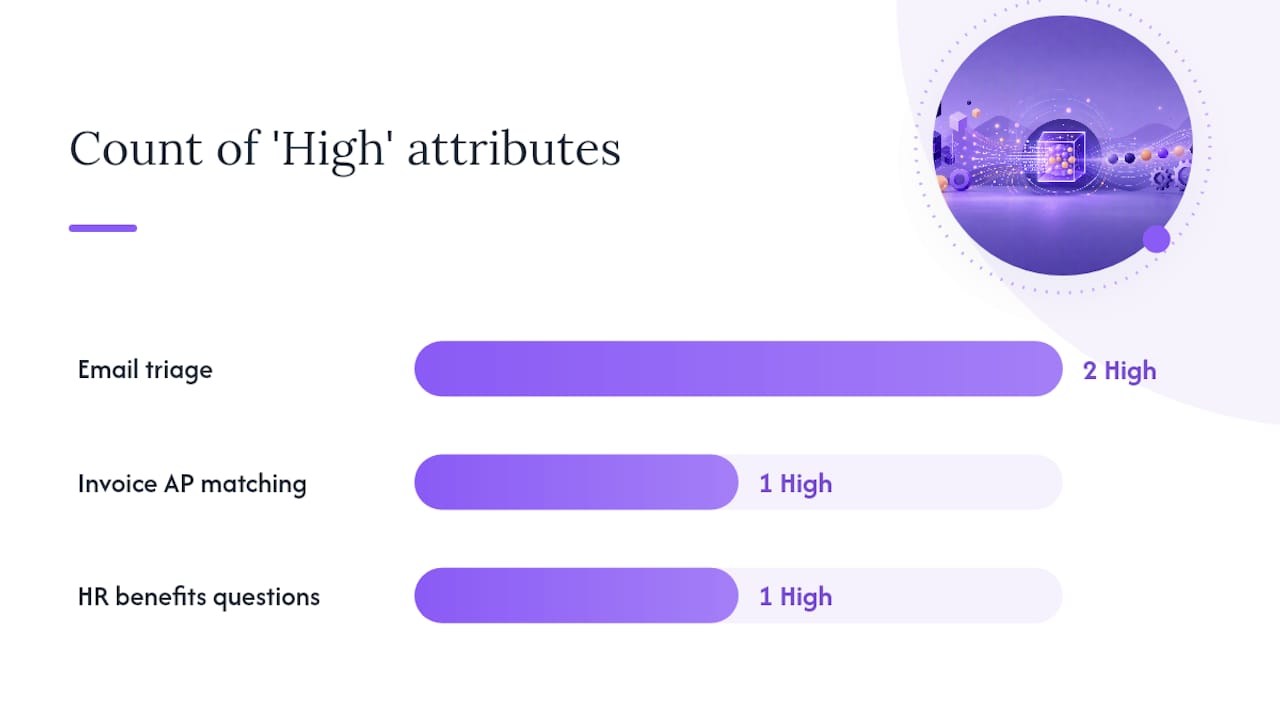
Email triage wins the first slot in almost every organization: it happens constantly, carries low individual-message risk, and connects to systems (Gmail, Slack) that already expose clean APIs. Defining success metrics before deployment, such as ticket deflection or time saved per task, turns this scoring exercise into a business case rather than a guess. Set your pilot threshold at high frequency and low sensitivity; anything scoring high on both frequency and compliance risk stays manual until you've proven the pattern elsewhere.
Which Integrations Does an OpenClaw Agent Need?
The technical lift for most pilots comes down to a handful of connectors, not a rebuild of your stack. Expect to touch some combination of Gmail, Outlook, Slack (often via Workflow Builder), Zendesk, Intercom, Google Drive, Google Sheets, Salesforce, and HubSpot. For agents that need to reason over internal documentation or ground answers in company knowledge, a connector layer like LangChain or Relevance AI typically sits between the model and your data sources.
| System | Access Type | Typical Complexity | Common Pitfall |
|---|---|---|---|
| Gmail/Outlook | Delegated mailbox or API | Low to medium | Over-broad mailbox permissions |
| Slack | Workflow Builder / API | Low | Alert fatigue from noisy channels |
| Zendesk/Intercom | REST API | Medium | Ticket taxonomy mismatch |
| Salesforce/HubSpot | API with OAuth | Medium to high | Stale or duplicate CRM fields |
| Google Drive/Sheets | API with scoped access | Low | Overly permissive folder access |
Designing agents to operate inside tools people already use, rather than a separate dashboard, is one of the strongest predictors of adoption. Nobody wants another tab.
Pro Tip: *Grant the agent least-privilege credentials from day one, scoped to only the folders, channels, or ticket categories it needs. Run it in shadow mode, watching and logging but not acting, until you've reviewed at least a week of its decisions.*
What Does an Email Triage Agent Blueprint Look Like?
Email triage is the standard first agent for a reason: it's high frequency, well bounded, and forgiving of a slow rollout. Here's a blueprint you can adapt directly.
Role. The agent classifies incoming mail, applies labels, routes messages to the right queue, and drafts replies for routine categories. It never sends a financial commitment, legal statement, or account cancellation without human sign-off.
Tools. Gmail or Outlook for the mailbox, Zendesk or Intercom if support tickets are involved, Slack for internal alerts, and Salesforce or HubSpot lookups for context on the sender. A structured intent taxonomy covering 10 to 15 categories typically handles the bulk of volume with a hybrid of keyword rules and model fallback.
Scenario playbook:
| Scenario | Default Behavior | Handoff Trigger |
|---|---|---|
| Routine support question | Draft and send acknowledgment | Sentiment turns negative |
| Inbound sales lead | Log to CRM, notify Slack | High deal-size keywords detected |
| Meeting request | Propose times, confirm | Conflicting VIP calendars |
| Complaint or escalation | Route to human queue immediately | Always, no autonomous reply |
| Newsletter or noise | Archive/label | Never escalates |
Handoff checklist:
- Flag anything with legal, medical, or refund language for manual review.
- Log every classification decision with a confidence score for later audit.
- Escalate automatically when confidence drops below your set threshold.
A well-defined blueprint like this one, complete with rules and strict guardrails, keeps the agent from making consequential decisions on its own. Triage also acts as the gateway to more advanced automation. Once messages are accurately classified and structured, auto-resolution and reporting become far easier to layer in later.
How Do You Roll Out an Automation Pilot Step by Step?
A realistic timeline keeps expectations grounded and prevents the common mistake of trying to automate everything at once.
- Week 0: Discovery. Score candidate tasks, pick your top pick, and gather sample data.
- Weeks 1 to 2: Pilot setup and shadow mode. Connect the integration, define rules, and let the agent observe and draft without acting.
- Week 3: Evaluation. Review logs, measure accuracy against ground truth samples, and adjust confidence thresholds.
- Week 4: Controlled autodeploy. Let the agent act autonomously on the highest-confidence scenarios only, with human review on everything else.
- Quarter 1: Scale. Add a second single-purpose agent, then begin orchestrating multiple agents once each has proven itself independently.
Pilot checklist essentials:
- Confirm data access before you build anything.
- Gather ground-truth samples for the exact scenarios the agent will handle.
- Set a clear confidence threshold for autonomous action versus handoff.
- Build logging into the pipeline from day one, not as an afterthought.
Reported outcomes from agentic workflows include roughly 32% faster content editing, 46% faster content creation, and 63% of executives citing improved customer experience. Track your own version of these numbers: ticket deflection rate, average time saved per task, reduction in manual updates, and SLA compliance. Some teams report automating 40 or more hours of work per week once several agents are running in parallel, though that scale comes after single-agent pilots prove out.
What Security and Compliance Guardrails Does Automation Need?
Automating repetitive work means giving software access to real data, and that access needs boundaries from the start.
Security checklist:
- Grant least-privilege access to every connector; never hand an agent a full-admin token when a scoped one works.
- Manage secrets through a proper vault, not environment variables scattered across configs.
- Encrypt data at rest and in transit across every integration point.
- Log every action the agent takes, with timestamps and confidence scores, for later audit.
- Define retention and redaction rules for personally identifiable information before the agent ever touches it.
Compliance flags to watch for:
- Never let an agent auto-respond to legal, HR, or medical content without a human in the loop.
- Avoid storing sensitive fields (SSNs, health data, payment details) inside vector databases used for semantic search.
- Never let an agent auto-send refunds, credits, or account changes without manual approval, regardless of how confident it seems. This same approval requirement applies to any high-stakes action across HR, finance, or support workflows, not just refunds.
Pro Tip: *Schedule a recurring manual audit, even after the agent is running smoothly. Confidence scores drift as inputs change, and a weekly sample review catches problems long before they become customer-facing.*
When Should You Not Automate a Task?
Automation fails predictably when it's pointed at the wrong kind of work. Watch for these failure modes:
- Ambiguous inputs where the correct action genuinely depends on context a model can't see.
- High-judgment decisions, like disciplinary HR matters or contract negotiations.
- Legal or regulatory workflows where a wrong answer carries liability.
- Rare events the agent has never seen enough examples of to classify reliably.
- Adversarial or malicious inputs designed to trick a classifier into the wrong action.
Red flags that should stop autonomous action immediately:
- Model confidence falls below your set threshold.
- Sentiment analysis flags strong negative emotion.
- The message involves a VIP account or high-value customer.
- Sensitive data (financial, medical, legal) appears in the content.
Mitigate these risks with confidence-based routing, clear escalation rules, and frequent sample review of edge cases. None of this means automation doesn't work. It means the boundary between what an agent owns and what a human owns needs to be explicit, written down, and enforced in the rules layer, not left to the model's best guess.
Why Start With Single-Purpose Agents Instead of Full Automation?
The instinct when a team gets excited about AI agents is to automate everything at once. That instinct is almost always wrong, and it's worth saying plainly why.
A single-purpose agent, one that does email triage and nothing else, fails in small, visible, recoverable ways. A sprawling multi-agent system that touches support, finance, and HR simultaneously fails in large, invisible, expensive ways, because nobody can isolate which agent caused which problem. Building agent capability progressively, adding assistance to a workflow before creating a single-purpose agent, then eventually orchestrating multiple agents, isn't caution for caution's sake. It's the only rollout pattern that lets you attribute results to a specific cause.
Three recommendations worth acting on immediately: pick a task that's high-frequency and low-sensitivity for your first pilot, not the task your team complains about most. Measure before you automate, not after, so you have a real baseline to compare against. And iterate fast in shadow mode rather than waiting for a "perfect" ruleset before letting the agent touch production data.
Running that first agent on a private, managed OpenClaw instance through ClawBase removes the sysadmin overhead that otherwise eats the first two weeks of any pilot. That's execution speed you can't get building the stack from scratch.
How Can ClawBase Help You Run Your First Pilot?
ClawBase is the fastest way to get a private OpenClaw agent live without hiring a systems administrator to babysit it.

For the task types covered above, ClawBase includes the pieces that matter most: persistent memory so your agent remembers context across sessions, connectors for Slack, Gmail, Discord, Telegram, and WhatsApp, access to more than 50 AI models with multi-model routing, a private skillset marketplace, and daily encrypted backups. None of that requires a developer to configure.
To start, sign up for the 7-day free trial, pick one task from the OpenClaw use-case catalog, apply the email triage blueprint above, and run a 7 to 14 day shadow pilot before letting the agent act autonomously. If you're evaluating a managed provider, ask about SLAs, onboarding support, which models you'll actually have access to, and where your data lives.
Where Can You Learn More Before You Build?
A few resources are worth reading before you write your first rule set. Slack's guide on defining success metrics for AI automation is a solid starting point for building your business case. For the email triage blueprint specifically, the role, tools, rules, and guardrails framework is worth reading end to end before you configure anything. Sinqra's practical guide to email triage automation covers the taxonomy and hybrid classification approach in more technical depth.
For deployment templates and use-case walkthroughs specific to OpenClaw, visit ClawBase's use-case catalog or the blog's breakdown of reducing manual work with AI agents. If you're implementing email triage as your first agent, read the blueprint source above in full before writing your first rule.
Sources
- What is AI automation? A guide for modern teams · Slack
- The ROI of AI: Agents are delivering for business now | Google Cloud Blog
- AI email triage agent blueprint · Rework Resources
- AI agents for business: how we automated 40 hours of work · Slite