OpenClaw for Business Teams: Setup, Trust and Rollout
2026-11-09

OpenClaw works for a business team when you run one shared Gateway for people who trust each other, put authenticated access in front of it, and give the agent only the permissions its job needs. The software is the same one an individual uses. What changes is the trust model, the access control and the upkeep. This guide covers how team use works, how to connect it to chat, what to lock down first, and what it takes to keep a server running.
TL;DR
- A team setup is a "multiplayer" claw: one Gateway shared by a trusted group, with shared sessions, roles and a workspace chat bot.
- One Gateway is one trust domain. Everyone who can message a tool-enabled agent shares its authority, so scope tools and credentials to the team's job.
- Self-hosting means Node.js, a service that stays up, authenticated ingress, updates and backups. A managed host removes that work.
- Start small: one team, one channel, read-only plus draft permissions, then widen.
- ClawBase hosts OpenClaw on a dedicated, encrypted server with plans from $16 per month and a 7-day free trial on the entry plan.
Table of Contents
- What "OpenClaw for teams" actually means
- What a team can do with a shared agent
- Connecting the team's chat tools
- Security and trust: what to settle before rollout
- Do multiple agents work reliably together?
- What it takes to run OpenClaw yourself
- Where ClawBase fits
- A sensible rollout plan
- Perspective
- FAQ
- Sources
What "OpenClaw for teams" actually means
The official docs separate two ways to run OpenClaw. A personal claw is one person's assistant on their own machine. A multiplayer claw is one Gateway shared by a trusted team, with a workspace chat bot, shared sessions and roles.
It is the same product configured differently. That framing helps, because it tells you where the real work sits. You are not buying a different tool for a team. You are deciding who may talk to the agent, what the agent may touch, and who is accountable for what it does.
Three questions settle most of the design:
- Who can message the agent? A named list of teammates, not an open channel.
- What can the agent reach? Files, mailboxes, calendars, repos, shell commands. Each one is a permission you grant on purpose.
- Who reviews its output? A person, before anything leaves the building.
What a team can do with a shared agent
The official Multiplayer guide describes teams using shared chat and Control UI sessions to assign work, add context, steer the agent, review results and diffs, run tests, and follow pull requests and CI. In practice, that maps to a handful of repeatable jobs.
Shared sessions
In the same guide, teammates can open, steer and take over a conversation. Sessions keep an immutable creator, an assignable owner, a participant history and live presence. That gives you a record of who asked for what, which matters the first time someone asks why the agent did something.
Routine work that fits a team agent
These are the use cases we see teams start with. They share one trait: the output is easy for a human to check.
- Summaries and drafts. Meeting notes, status updates, first-pass replies.
- File and knowledge work. Organizing a shared folder, pulling answers from team documents, keeping a running memory of decisions.
- Engineering support. Triage of issues, test runs, reviewing diffs before a person merges.
- Scheduled tasks. Recurring reports and reminders that run without anyone prompting.
Our use cases page shows more of what agents can do once they are running.
Delegation with an identity of its own
For email, calendar and file work, OpenClaw's delegate architecture defines a delegate as an agent with its own identity that acts on behalf of people, under explicit identity-provider permissions and standing orders. Because actions come from a named agent identity rather than silently impersonating a human, accountability improves, and your identity provider supplies a separate permission boundary.
The same guide presents a tier worth starting with: the agent reads email, calendar and files but sends drafts to chat for a human to act on, instead of writing to the mailbox or calendar. Your team sees the work, and a person presses send. Move up a tier only after the drafts have been consistently good.
Connecting the team's chat tools
Most teams want the agent where they already talk. OpenClaw supports several channels, and ClawBase connects Telegram, Discord, Slack and WhatsApp. If your team lives in Slack, our Slack integration guide walks through setup and common fixes. For Telegram groups and commands, see the Telegram integration guide. Developer communities can use the Discord quickstart. For a wider view of connecting tools safely, read our guide to secure integrations without a server.
Microsoft Teams
Microsoft Teams is the most requested enterprise channel, and it is also the most involved. The official setup uses the preview Teams CLI to log in, and a dev tunnel because Teams cannot reach localhost. It then runs teams app create to register the Entra application and the Teams-managed bot. Finally, you configure OpenClaw with the tenant ID, app ID, client secret, webhook path and account binding.
The documented commands install @microsoft/teams.cli@preview, run teams login, and verify with teams status. For production, the guide suggests considering federated authentication or managed identity. Group chats are allowlisted by default, which is the right default for a team bot: add only the channels that need it.
Plan for an Azure admin to be involved. App registration and tenant permissions are not a task most business users can finish alone.
Security and trust: what to settle before rollout
This is the section to read twice. An agent that can run commands, work with files and message people is useful because of that reach, and the reach is the risk.
One Gateway, one trust boundary
The Multiplayer guide states that one Gateway is one trust domain: users who can message a tool-enabled agent share its delegated tool authority, while operator users share one control plane. The Security documentation adds that a Gateway is intended for one trusted boundary and is not a hostile multi-tenant boundary. For mixed-trust groups, such as different clients or departments that should not see each other's data, split gateways, credentials and ideally OS users or hosts.
The practical rule: one team, one Gateway. If Finance and a contractor pool need different access, they get different instances.
Authenticated access, not a public bind
The Multiplayer guide recommends authenticated ingress rather than a public bind. Options include Tailscale Serve, an identity-aware proxy such as Cloudflare Access, or token and password authentication for small teams. Choose the one your IT lead can maintain.
Isolation and credentials
Microsoft's security team published guidance in February 2026 saying OpenClaw should be treated as untrusted code execution with persistent credentials, and should not run on a standard personal or enterprise workstation. It recommends a dedicated VM or separate physical system for evaluation, dedicated non-privileged credentials, non-sensitive data, monitoring of saved instructions and state, backups, and a rebuild plan.
That guidance is why we run each customer on a dedicated server, separate from anyone's laptop, with daily encrypted backups. It is also why you should give the agent its own accounts, never an executive's login.
For a deeper look at agent credentials, tools and the attack surface that skills and plugins create, this piece on safe use of AI skills and agents is a good companion.
Prompt injection and untrusted content
OpenClaw's Security documentation identifies prompt injection and untrusted external content as security concerns and advises keeping production bypass flags disabled. Practically: an agent that reads inbound email or web pages can be fed instructions by a stranger. Keep the tool policy narrow for any agent that processes outside content, and keep a human approval step before it sends, deletes or pays.
The personal-assistant guide also recommends restricting inbound access and keeping tool policy and sandboxing conservative during evaluation. Treat your first month as evaluation.
A starting permission checklist
- List the teammates allowed to message the agent.
- Create a dedicated identity for the agent with the least privilege that covers its task.
- Begin at the read-only-plus-draft tier for email and calendar.
- Allowlist only the group chats that need the bot.
- Put authenticated ingress in front of the Control UI.
- Decide who reviews saved instructions and memory, and how often.
- Write down the rebuild plan: where backups live and who restores them.
Do multiple agents work reliably together?
Teams often ask whether they can run a marketing agent, a research agent and a coding agent that hand work to each other. It is possible, and it is still an area to approach carefully. A public GitHub issue (#43367) reported multi-agent configuration races, session-lock timeouts, OAuth refresh failures and detached child work. A later review on the same thread said the complete original scenario was not reproduced on current main.
Our advice follows from that. Begin with one well-scoped agent and a clear owner. Add a second agent when the first has a stable weekly routine. Keep each agent's credentials separate, so a fault in one does not spread. Multi-model routing, which ClawBase supports across more than 50 models, lets you point cheap tasks at lighter models and harder ones at stronger models inside a single agent before you consider splitting into several.
What it takes to run OpenClaw yourself
Self-hosting is a legitimate choice for teams with a systems person. Here is what it involves.
The getting started guide lists Node.js 24.16.0 or later on 24.x, or 26.1.0 or later, plus an existing Claude Code or Codex CLI login or a provider API key. It also describes installing the Gateway as a background service with openclaw gateway install and openclaw gateway start. That is the quick part. For a business team, the ongoing list is longer:
- A server or VM that is not anyone's daily workstation, kept patched.
- A process that stays running and restarts after failures.
- Authenticated ingress (a tunnel, identity-aware proxy or token auth).
- Channel setup: bot tokens, webhooks, allowlists, and for Microsoft Teams an Entra registration.
- Updates, including security fixes, applied on a schedule.
- Backups, tested restores and a rebuild plan.
- Monitoring of the agent's saved instructions and state.
None of it is exotic, but it is recurring work with an owner. If nobody on the team wants that job, a managed host is the more realistic path. Our comparison of managed versus self-hosted OpenClaw for teams lays out the tradeoffs in more detail.
Where ClawBase fits

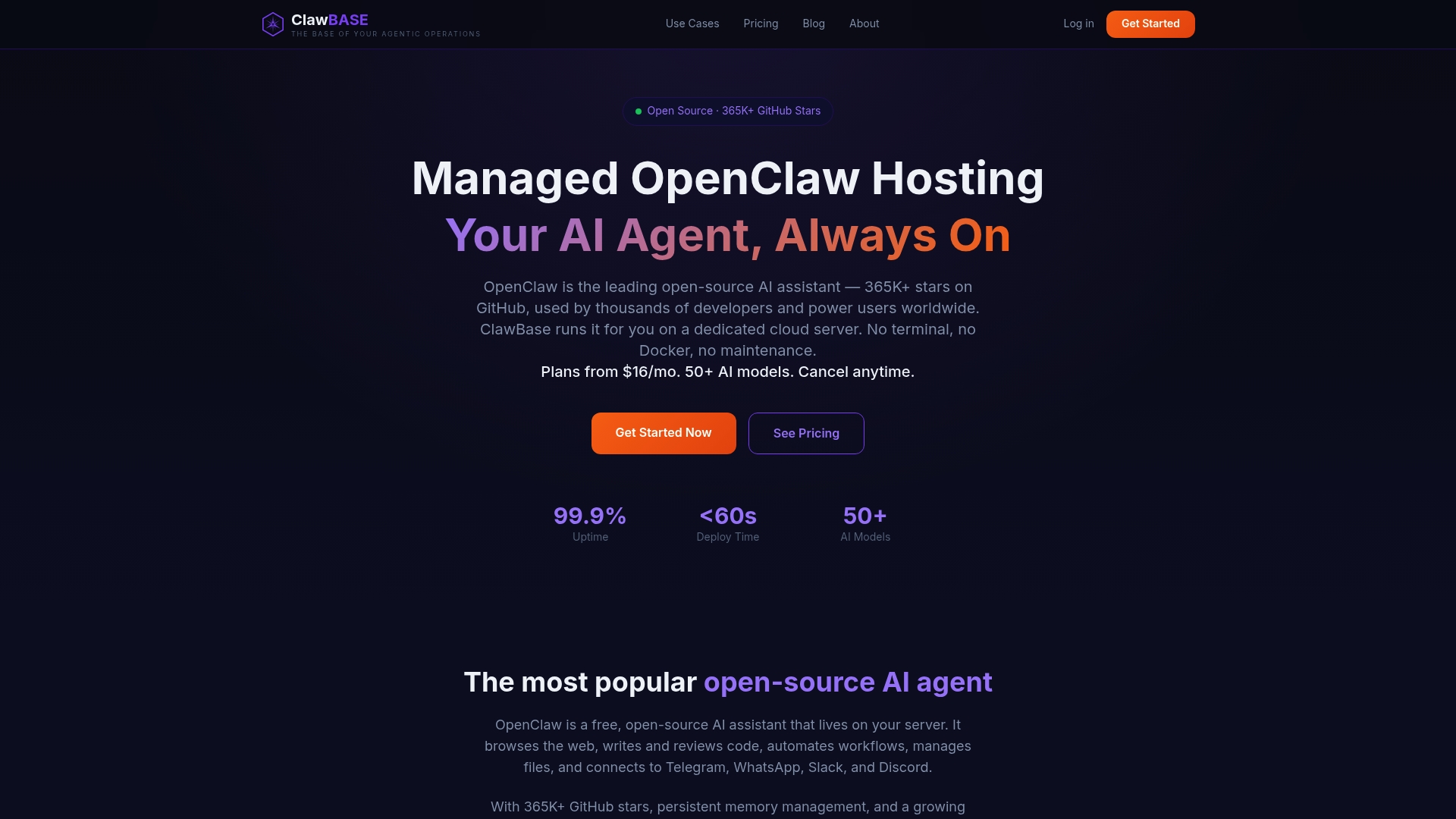
ClawBase is managed hosting for OpenClaw. You deploy with one click onto a dedicated, encrypted cloud server. We handle the always-on running (99.9% uptime), automated updates and daily encrypted backups, so no one on your team needs sysadmin skills. You get persistent memory management, over 50 supported AI models with multi-model routing, browser relay, and connections to Telegram, Discord, Slack and WhatsApp.
Plans, as published on our pricing page:
| Plan | Monthly | Annual |
|---|---|---|
| LITE | $16 per month | $199 per year |
| PRO | $33 per month | $399 per year |
| MAX | $66 per month | $799 per year |
The entry plan includes a 7-day free trial, and you can pay by credit card or cryptocurrency. If you are weighing a team pilot, the ClawBase homepage is the place to start, and the tutorial walks through setting up and tuning your first agent.
If something misbehaves during rollout, our troubleshooting checklist covers six quick checks.
A sensible rollout plan
A phased approach keeps the blast radius small and builds the team's trust in the agent.

Week 1: one team, one channel
Pick a group of three to eight people and one chat channel. Give the agent a dedicated identity and the draft-only tier. Choose two or three recurring tasks with outputs that are easy to check.
Weeks 2 to 3: review and tune
Read the session history together. Note where the agent was wrong, vague or too eager. Adjust standing orders and tool policy. Add one task at a time.
Month 2: widen deliberately
If drafts are consistently good, allow limited writes for low-risk actions, such as adding calendar holds, while keeping approval for anything external. Only then consider a second agent or a second team, on its own Gateway if the trust level differs.
Perspective
> We built ClawBase because we kept watching the same pattern: a team gets excited about OpenClaw, one capable person sets it up over a weekend, and then it becomes that person's second job. The assistant is only valuable if it is always on, remembers context and stays patched. Those are operations problems, not AI problems.
>
> Our view is that a team agent should be treated like a new colleague with a narrow job description. It gets its own accounts, a defined scope, a place to report, and a manager who reads its work. A dedicated, encrypted server per customer fits that model well, because the agent is isolated from everyone's laptops and the team controls who can reach it.
>
> We also think the managed route is the faster way to learn. When setup, updates and backups are handled, your time goes into the questions that matter: which tasks to delegate, what to review, and when to widen permissions. That is where teams get real value, and it is why we designed ClawBase to remove the sysadmin work first.
>
> *Iosif Peterfi*
FAQ
Can a whole company share one OpenClaw instance?
It is designed for one trusted boundary, so it suits a team that shares trust and goals. The Security documentation says a Gateway is not a hostile multi-tenant boundary, so separate departments or clients with different data access should get separate Gateways and credentials. Many small companies simply run one instance per team.
Does my team need a developer to use OpenClaw?
Not with a managed host. On ClawBase, deployment is one click and we handle updates, backups and uptime. Your team still needs someone to own the decisions: who has access, what the agent can reach, and who reviews its work. That is a management task rather than a technical one.
Can OpenClaw work inside Microsoft Teams?
Yes. The official guide registers a bot through the Teams CLI and an Entra application, then configures OpenClaw with your tenant and app details. Expect an admin with Azure permissions to be involved, and add only the group chats that need the bot, since group chats are allowlisted by default.
How much does it cost for a team?
ClawBase plans are $16 per month (LITE), $33 per month (PRO) and $66 per month (MAX), or $199, $399 and $799 per year. The entry plan has a 7-day free trial. See the pricing page for what each plan includes.
Sources
- OpenClaw Multiplayer guide
- OpenClaw delegate architecture
- OpenClaw Microsoft Teams setup
- OpenClaw Security documentation
- OpenClaw personal assistant setup
- OpenClaw getting started
- Microsoft Security Blog: Running OpenClaw safely
- GitHub issue #43367: multi-agent orchestration
- Simvay: AI skills, agents and the new attack surface